Click HERE for ALL Browsers; Full Instructions PDF
Expand to Full Screen for Best Viewing
1. Chrome
ASSIST will operate best when using chrome as an internet browser. If possible, be sure to open ASSIST using chrome. If you are using a browser other than chrome, please find a link for the instructional PDF above this tutorial video.

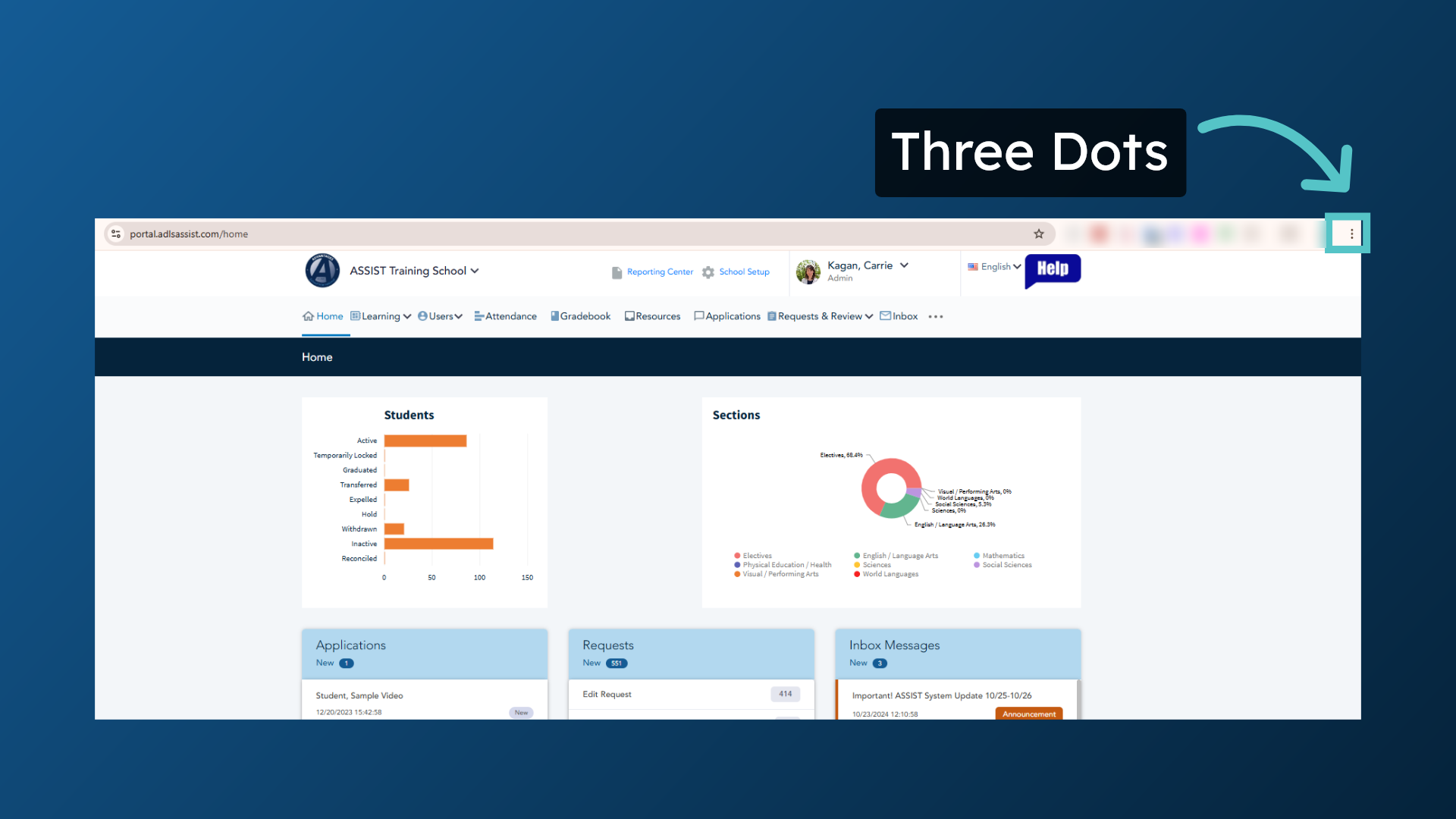
2. Three Dots
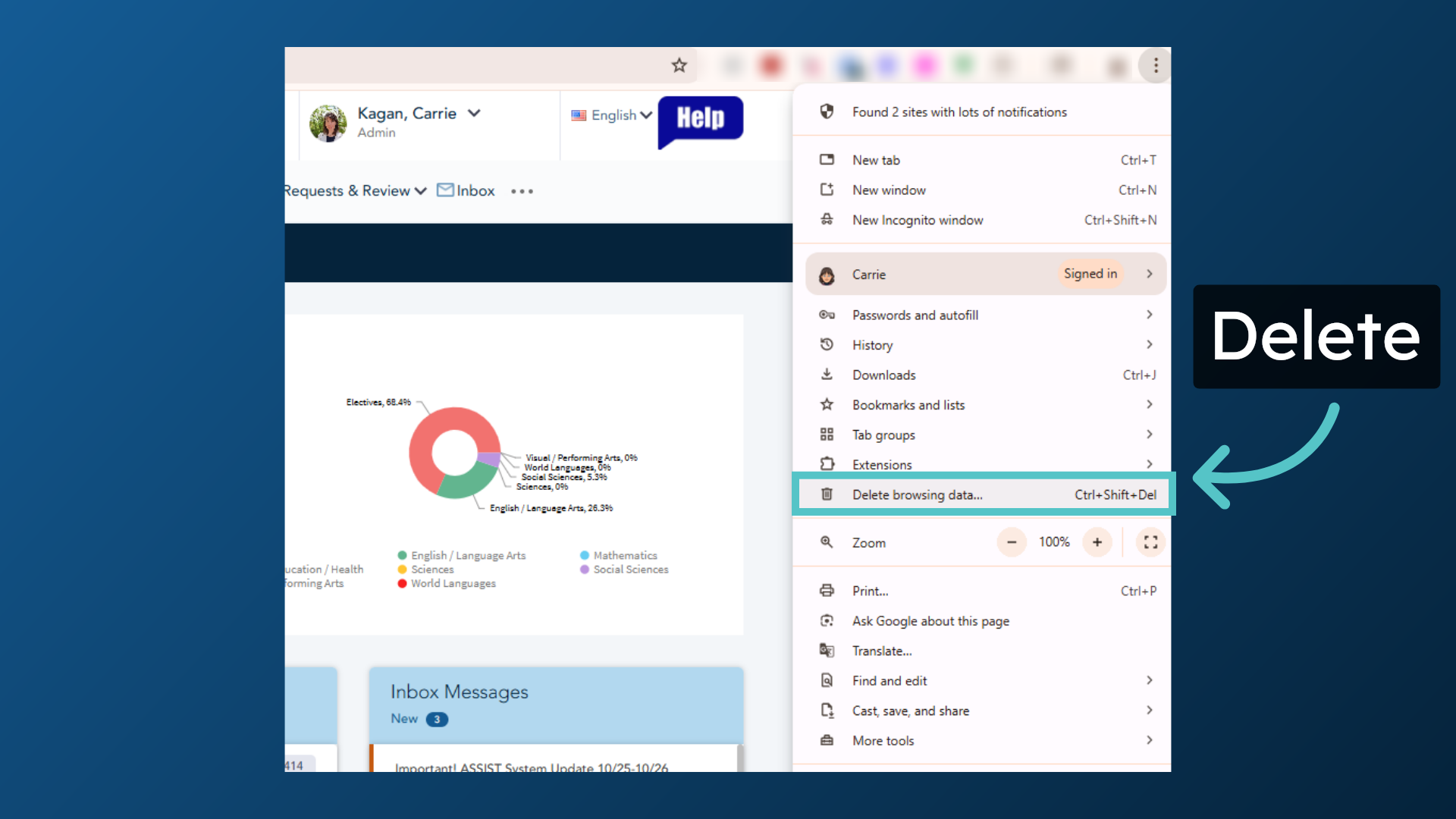
3. Delete
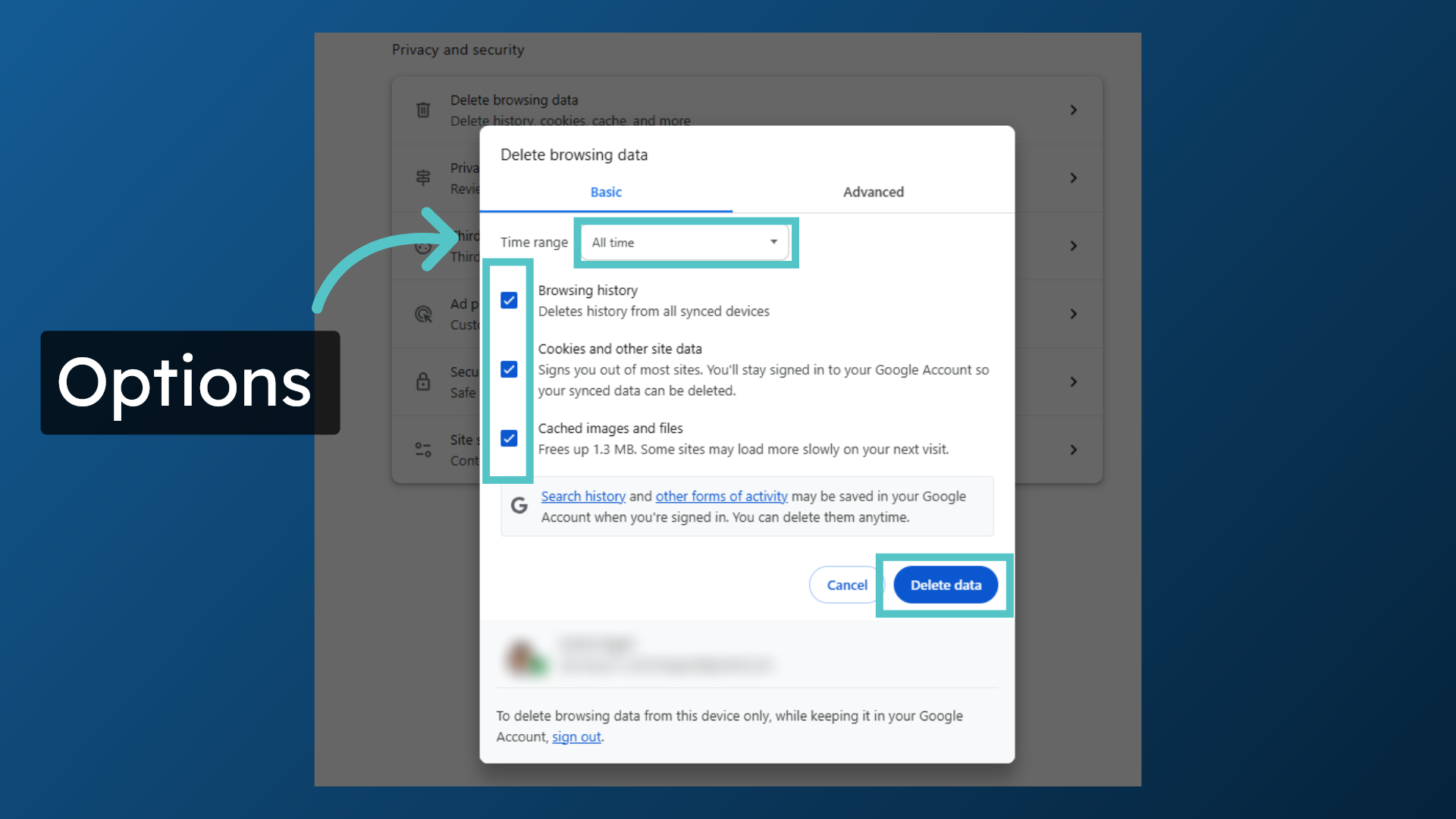
4. Options
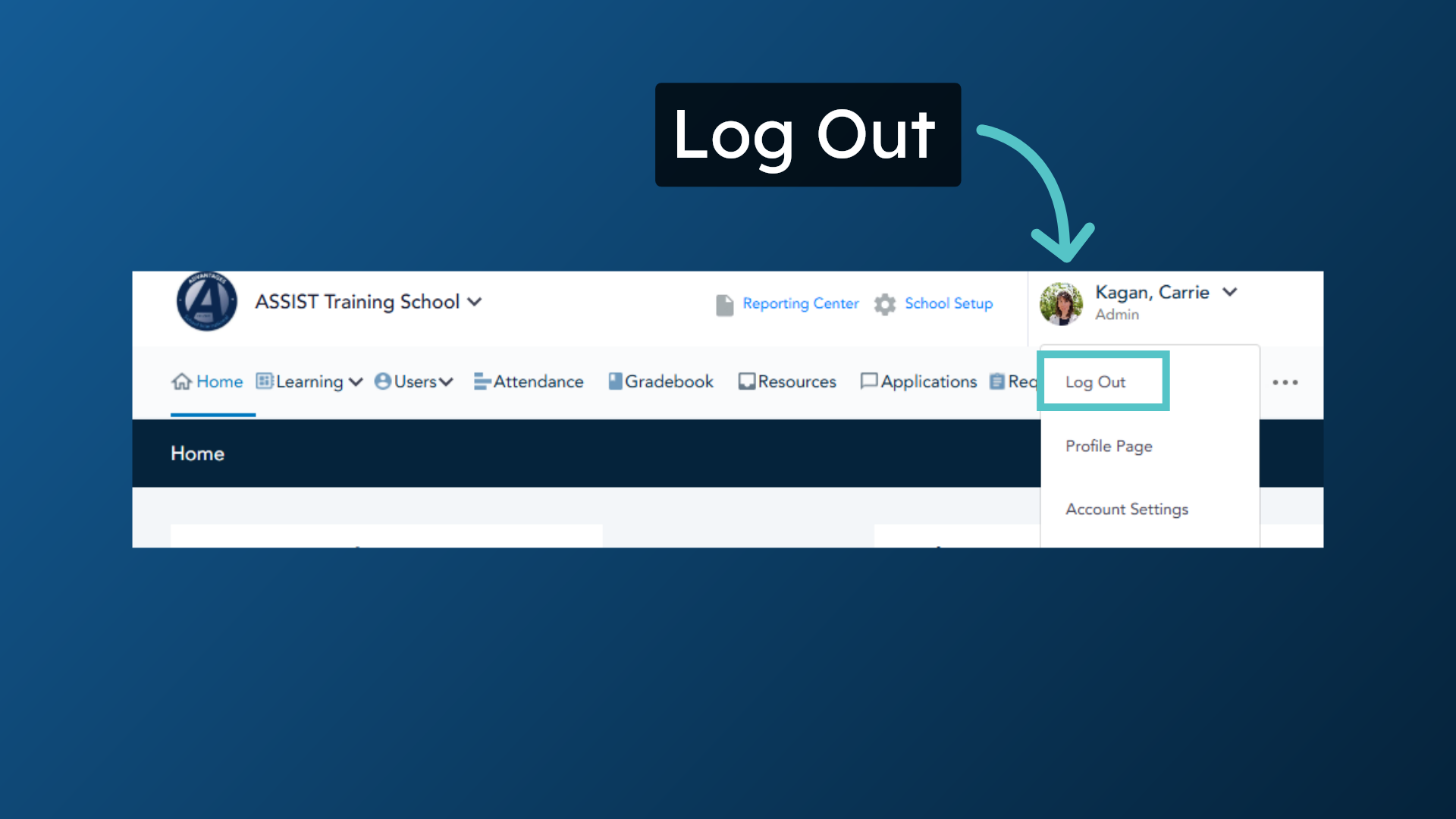
5. Log Out
2. Three Dots
3. Delete
4. Options
5. Log Out