Expand to Full Screen for Best Viewing
Discover how to view your child's academic progress and course details using ASSIST.
Go to portal.adlsassist.com
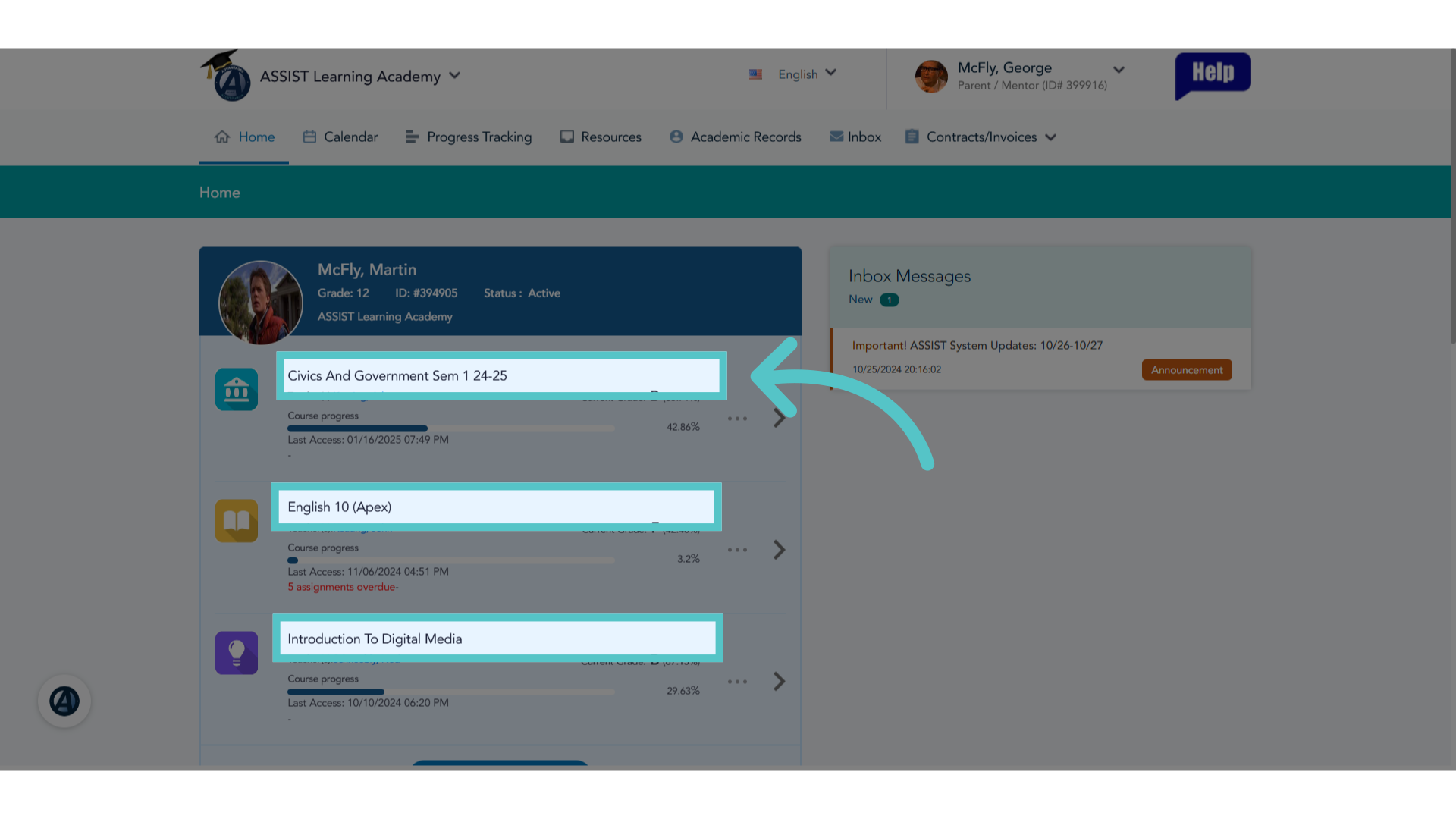
1. Active Courses
The ASSIST Homepage will list all of a student's active courses.
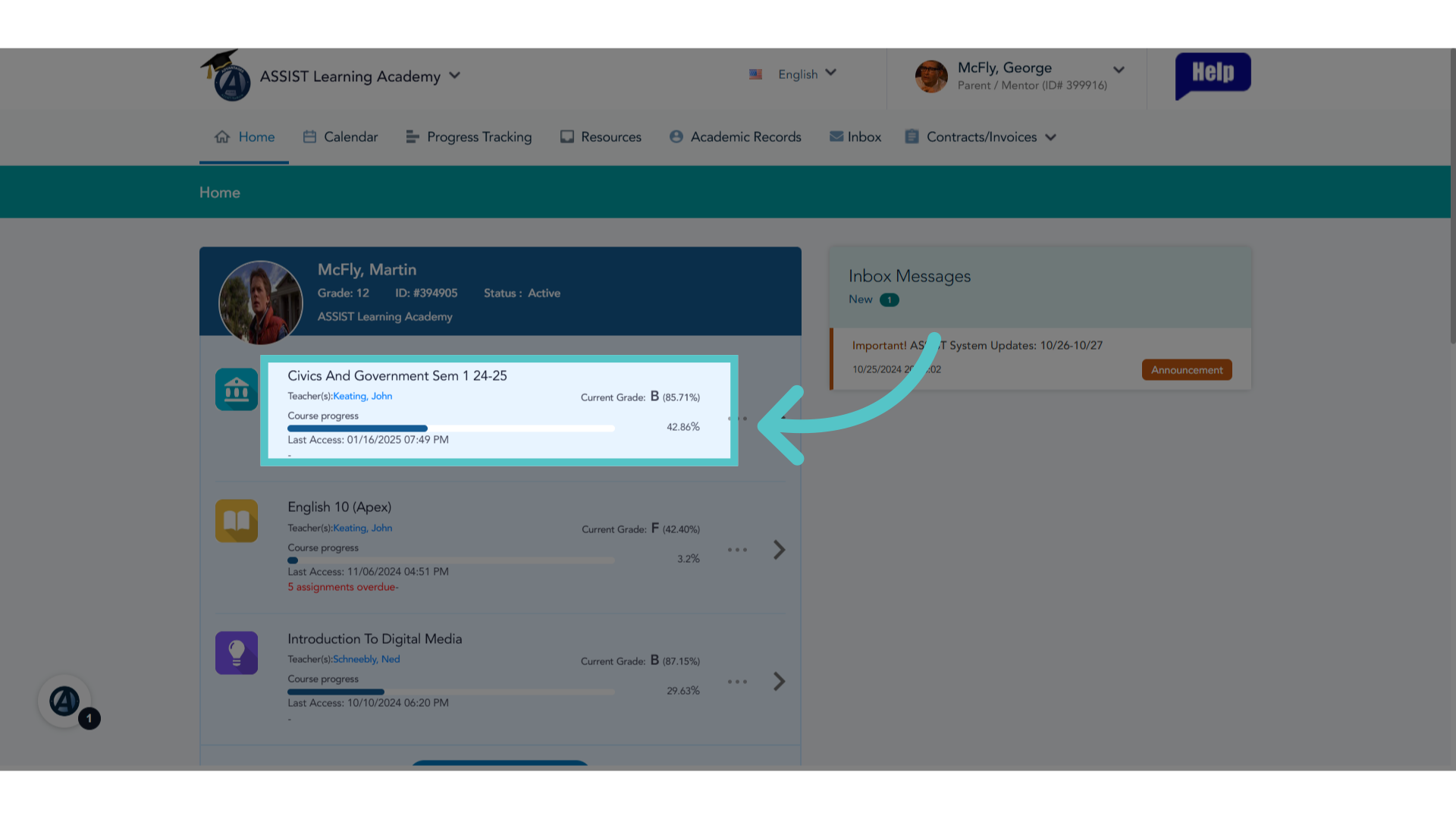
2. General Information
General information wil be listed for each course, including the name of the teacher, the student's current grade, and the day and time the student last accessed the content.
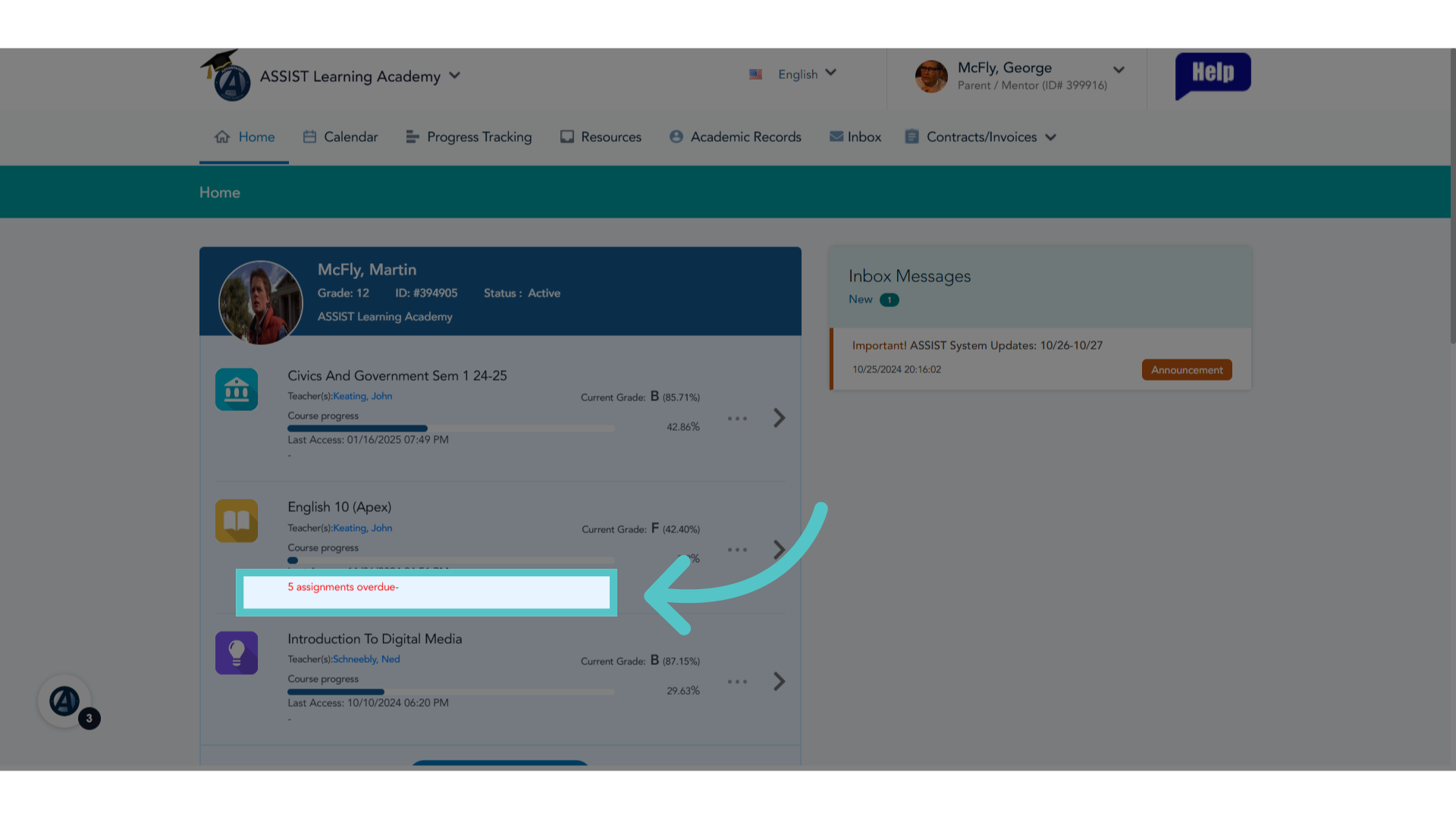
3. Overdue Work
The number of overdue assignments will be listed in red for each course.
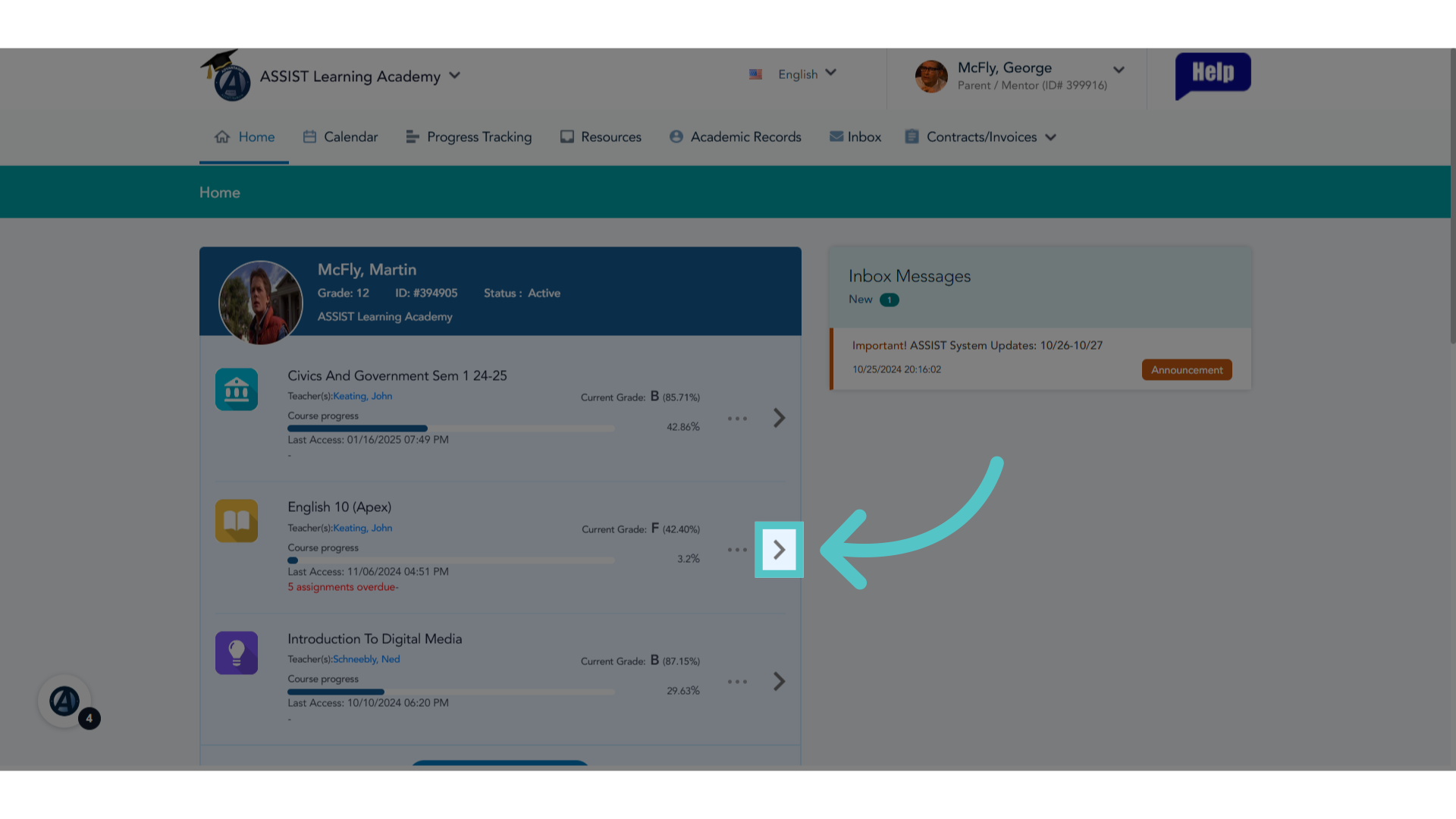
4. More Detail
To view more detail about specific course progress, click the arrow to the right of the course.
5. Course progress
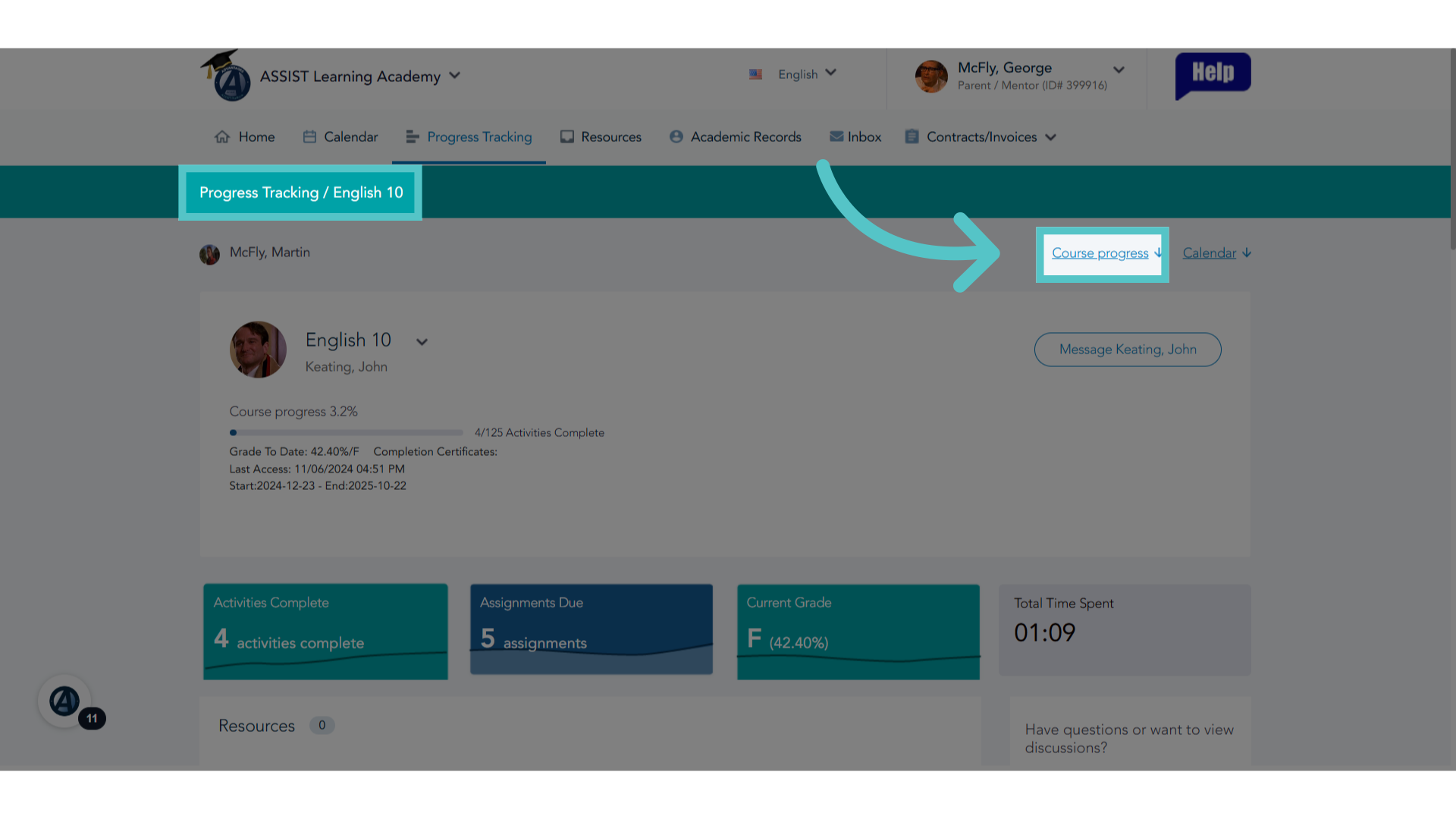
This will open a page dedicated to the course details. Click the "Course Progress" link in the top right to see specific assignments listed.
6. Course Activities Scores Report
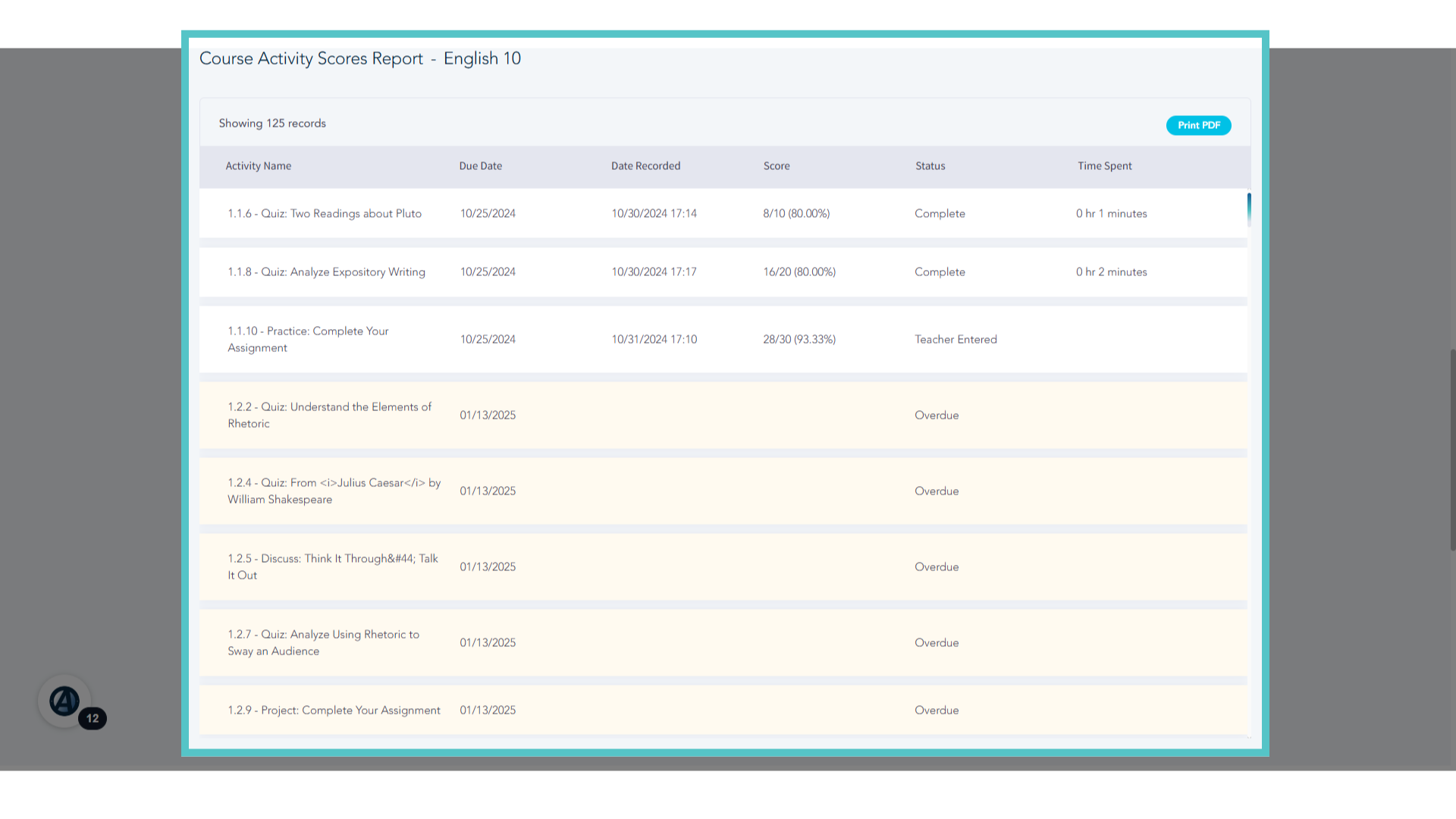
The Course Activities Scores Report will list every assignment in the course.
7. Data
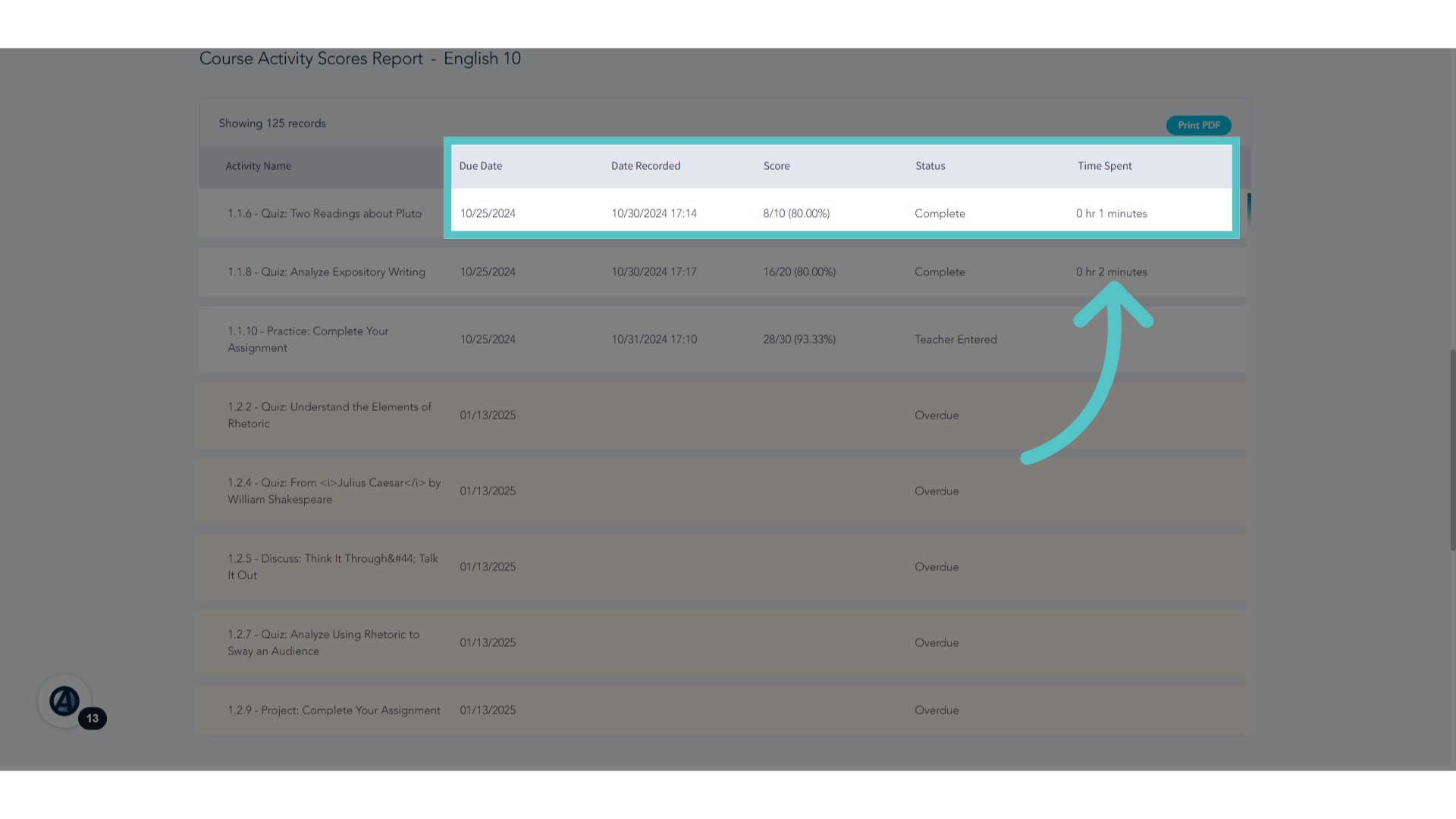
This report shows due dates, activity scores, and time spent on activities.
8. Print
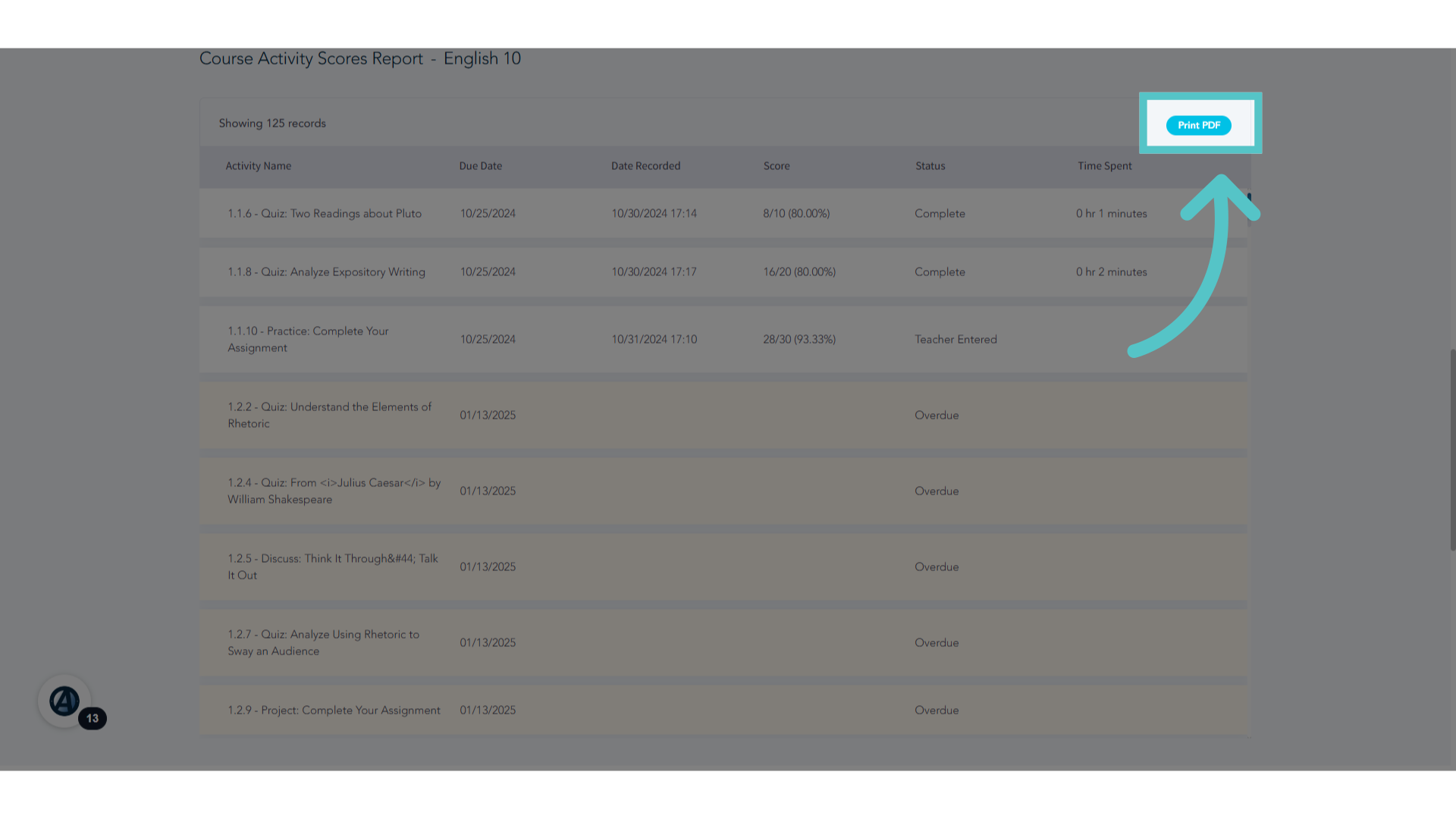
This report can be saved as a pdf or printed.
9. Calendar View
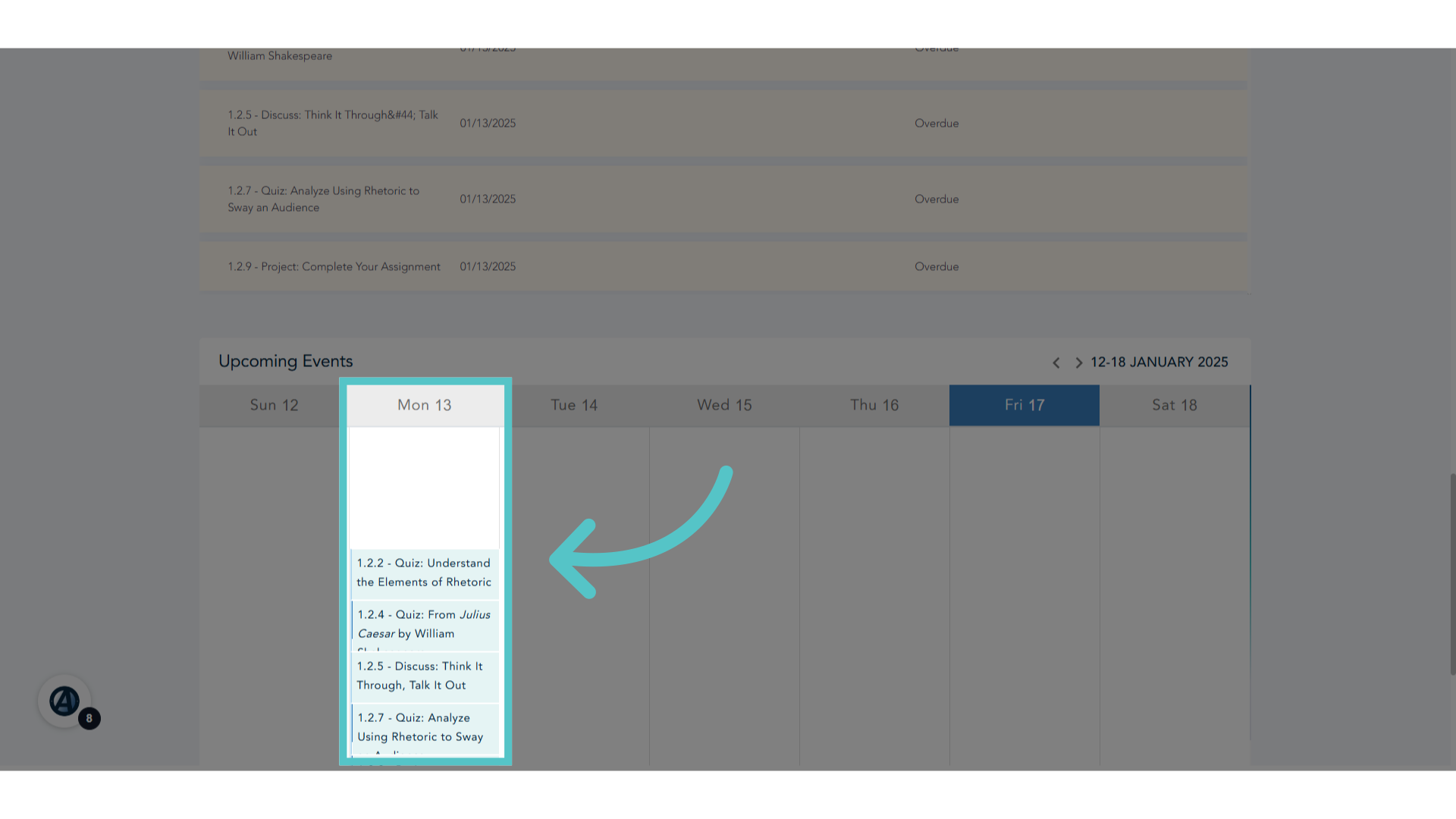
The Calendar View below the Course Activites Scores Report will indicate upcoming assignments due on specific days.
If you have any questions about the information in this tutorial, please click "Contact Support" to submit a help request. Contact Support