Expand to Full Screen for Best Viewing
Please use our Registrar Notes Flag when adding course justifcation or credit information to a student's comments and documents file in ASSIST. Comments with this yellow flag are highlighted for our Registrar's attention.
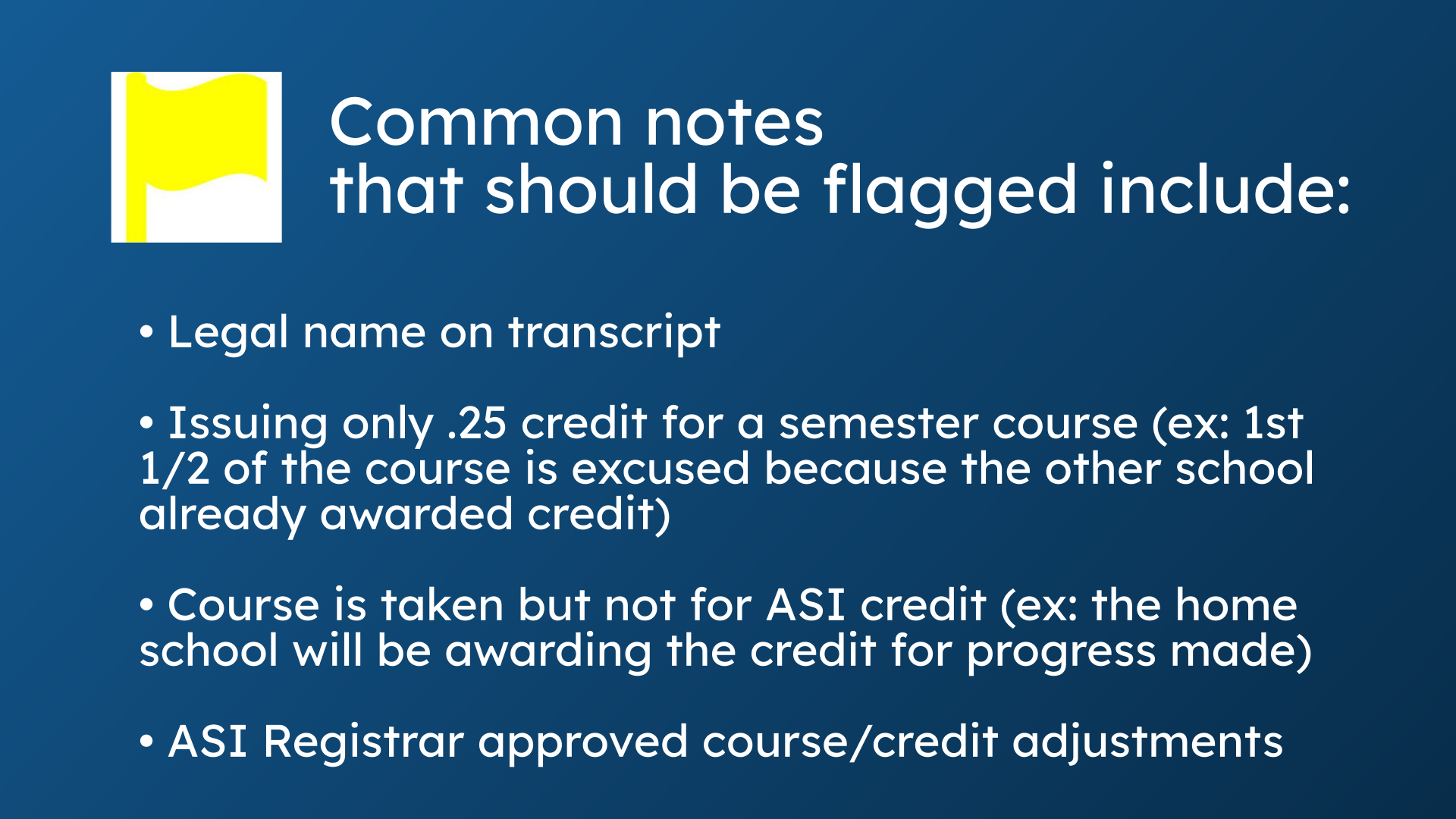
1. Common notes that should be flagged include:
Common notes that should be flagged for our Registrar include: noting a student's legal name on a transcript, issuing partial credit for a course, noting that a course has been taken but not for A-S-I credit, or any other Registrar approved course or credit adjustments.
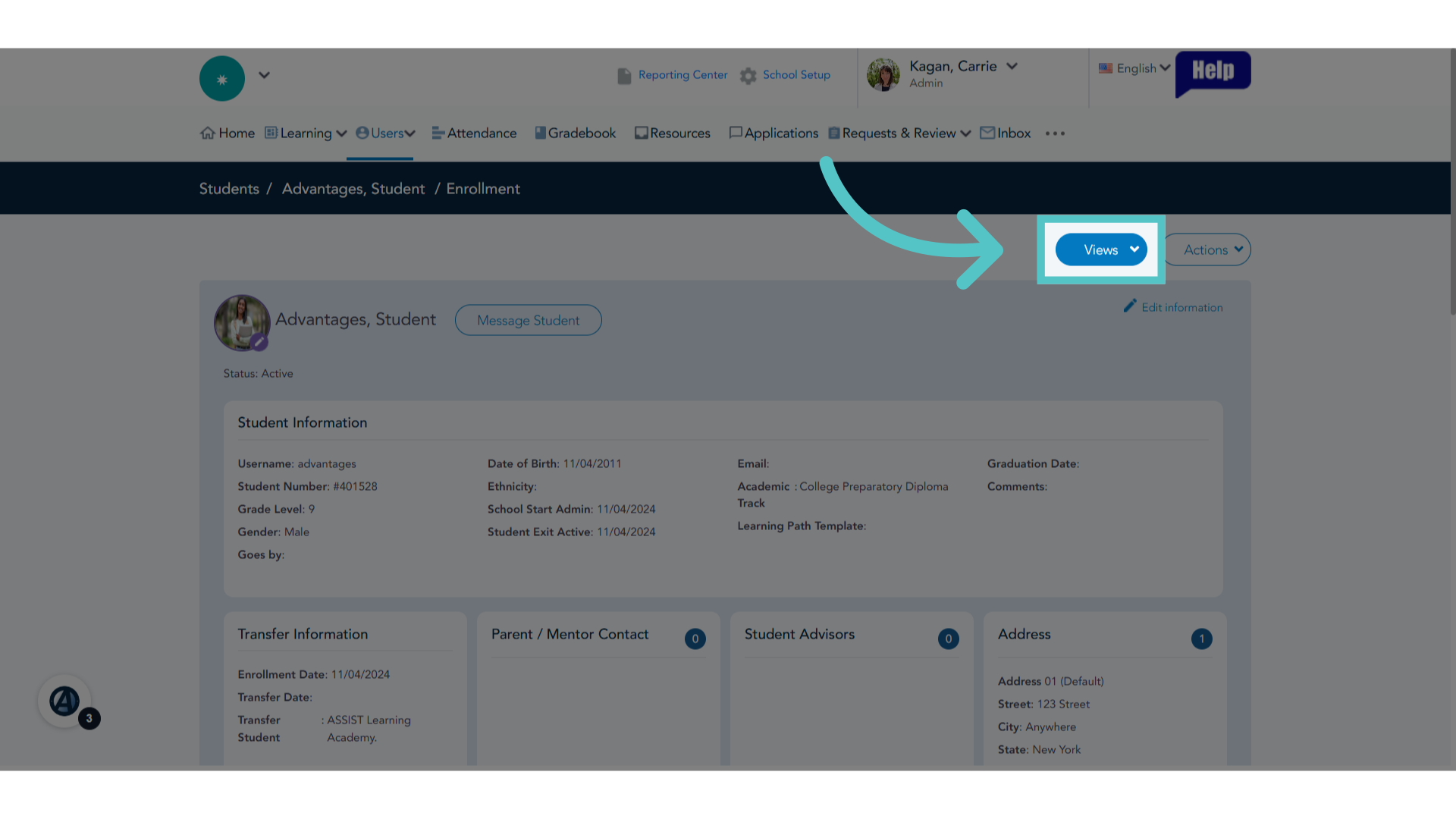
2. Click "Views"
To access a student's Comments and Documents File, click the "Views" button at the top of the student page.
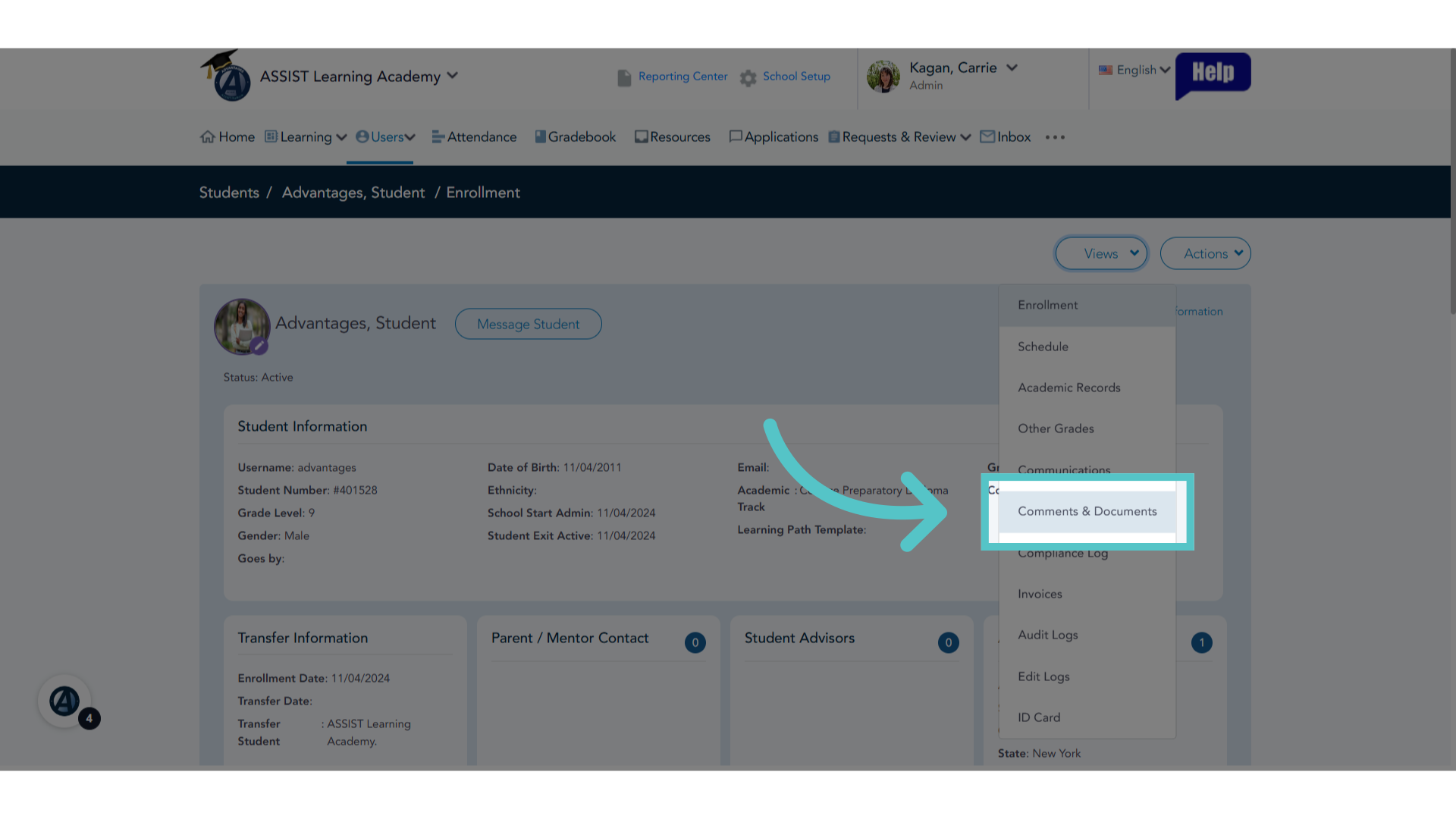
3. Comments & Documents
Choose "Comments & Documents" from the dropdown menu.
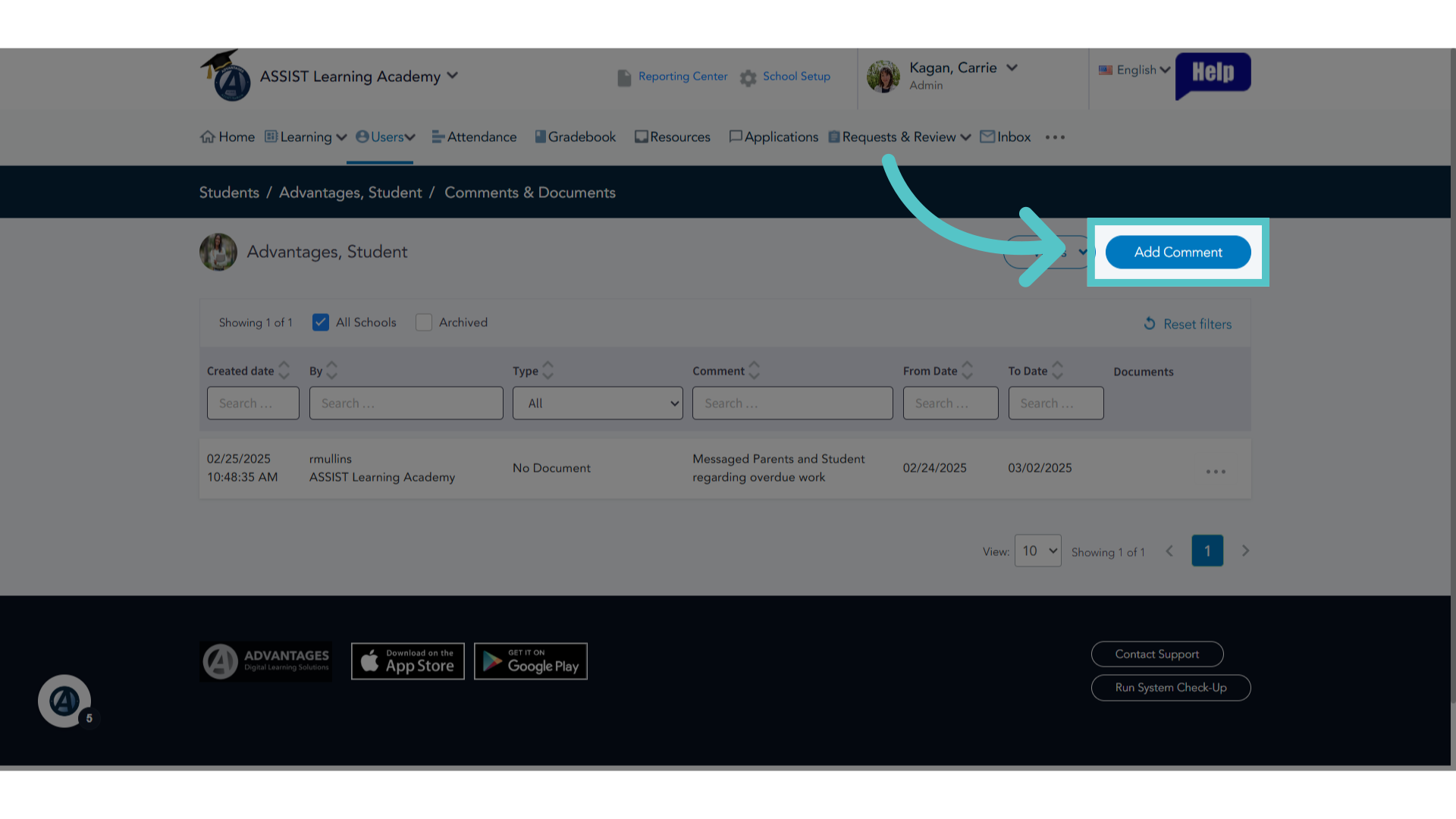
4. Click "Add Comment"
Add a comment by clicking on the respective button.
5. Type
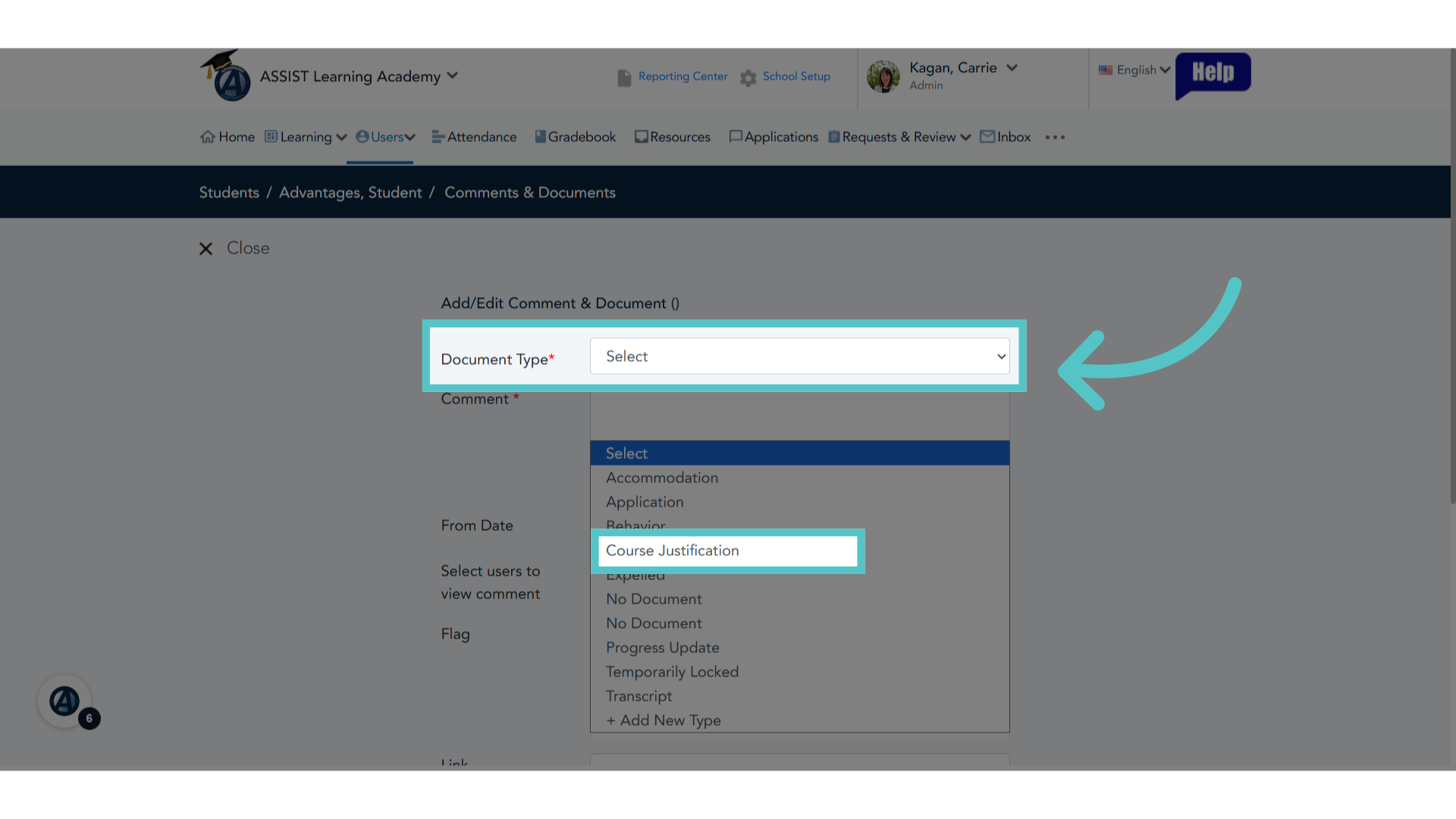
Select the appropriate type from the dropdown menu. Registrar related comments are most often entered with the type: Course Justification.
6. Enter Comment
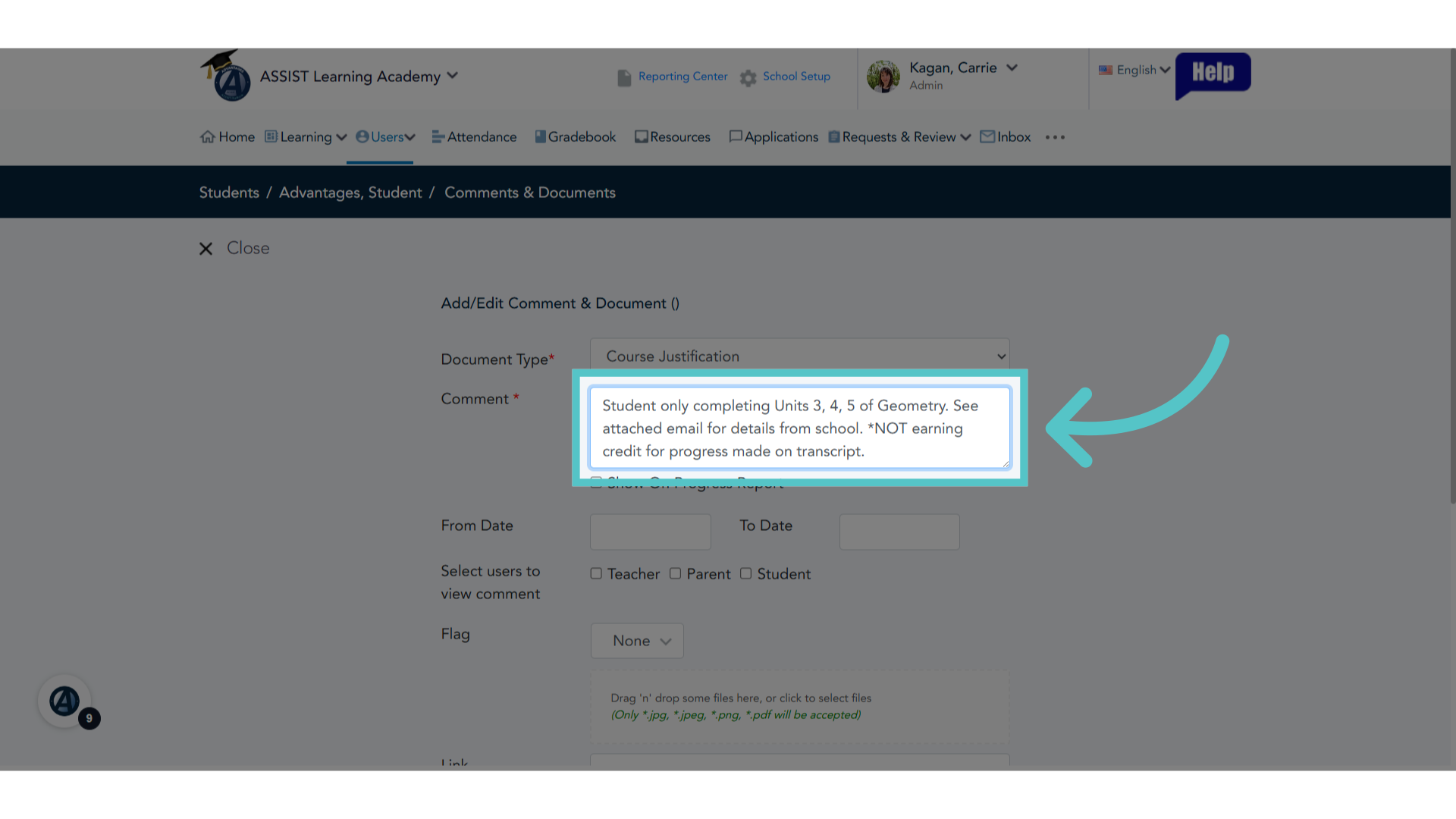
In the comment box, enter the important information regarding student credit values, course selections, or other registrar-approved information.
7. Viewers
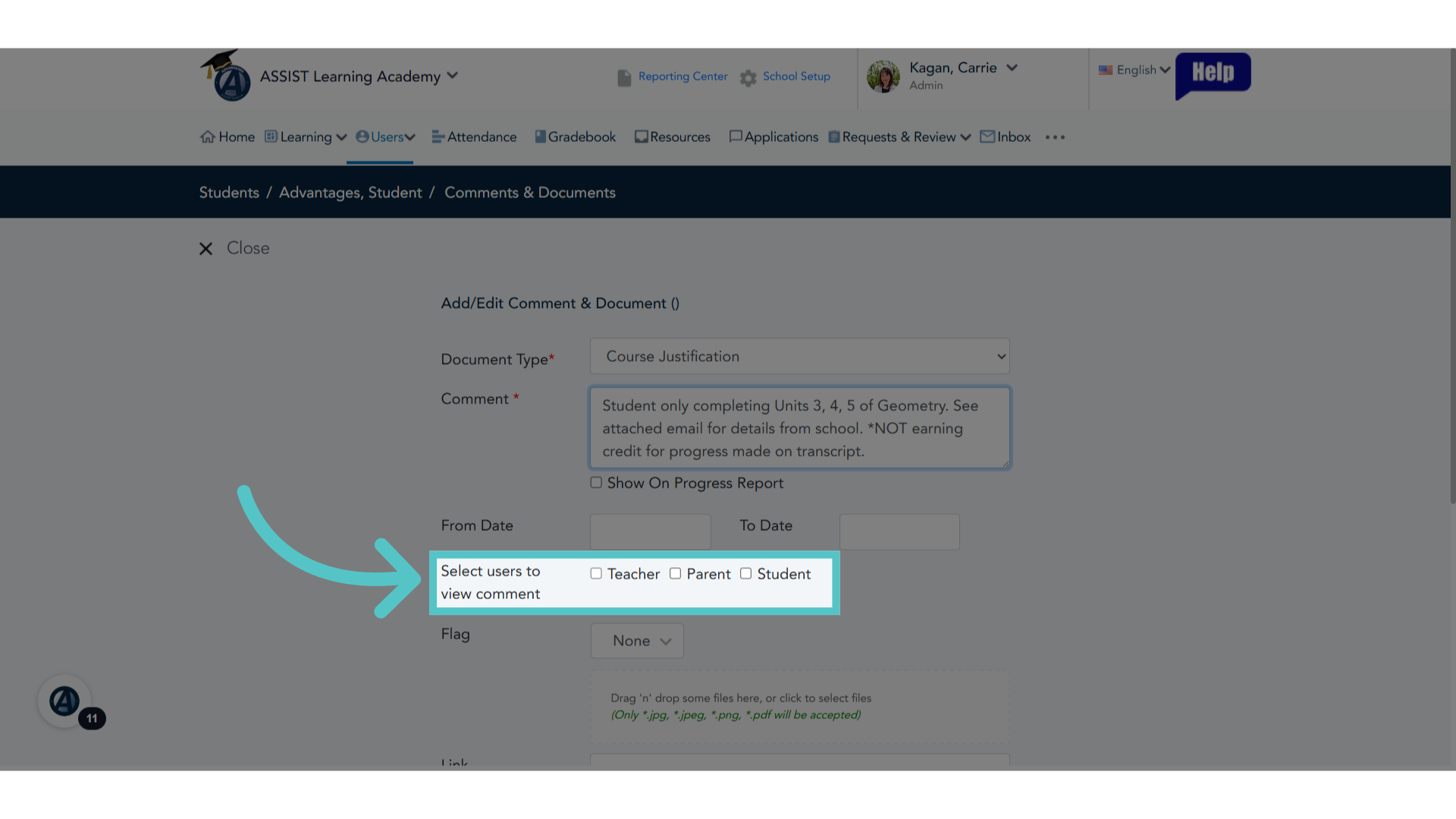
Select who will be able to see this comment in the student file.
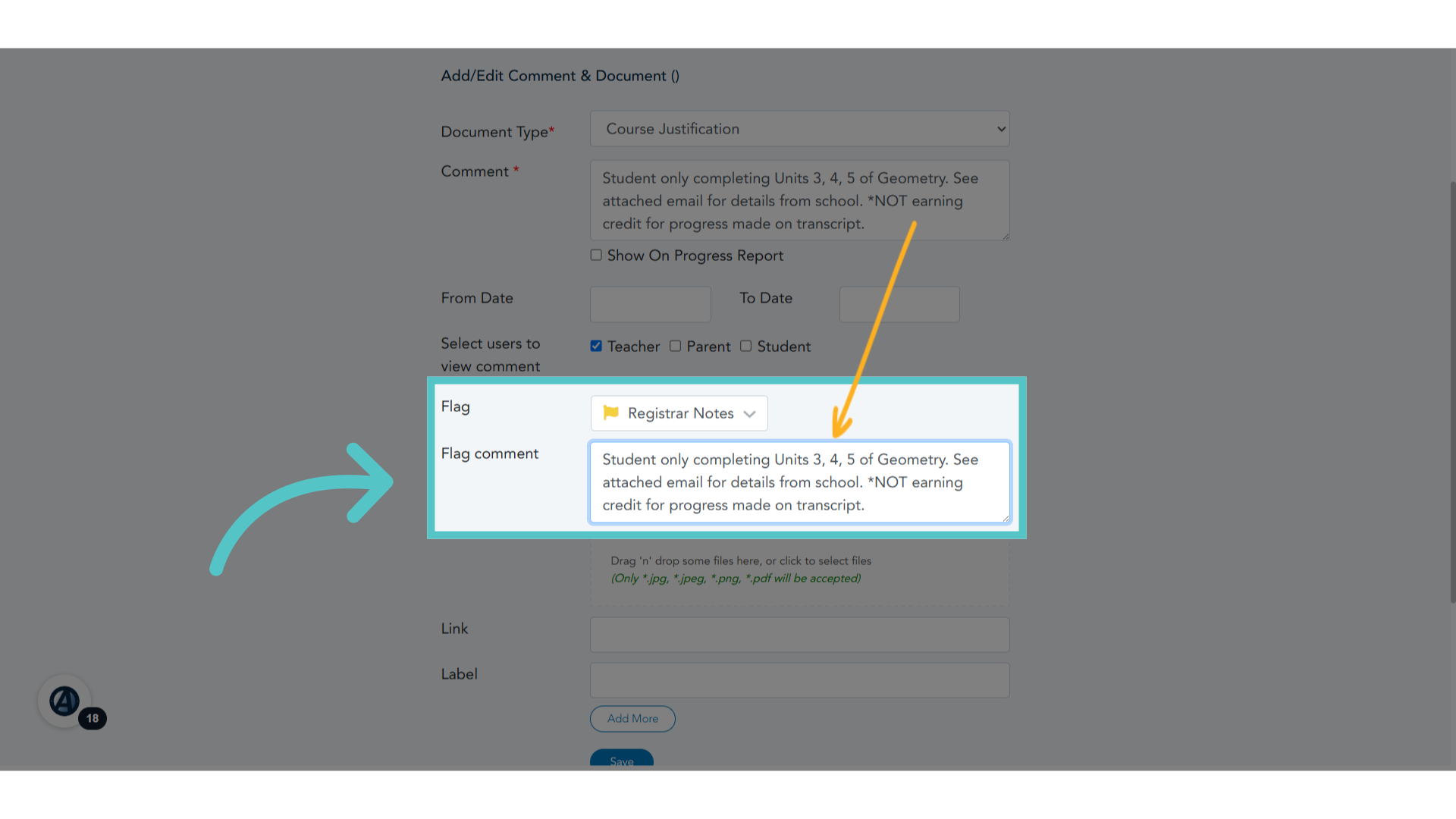
8. Flag
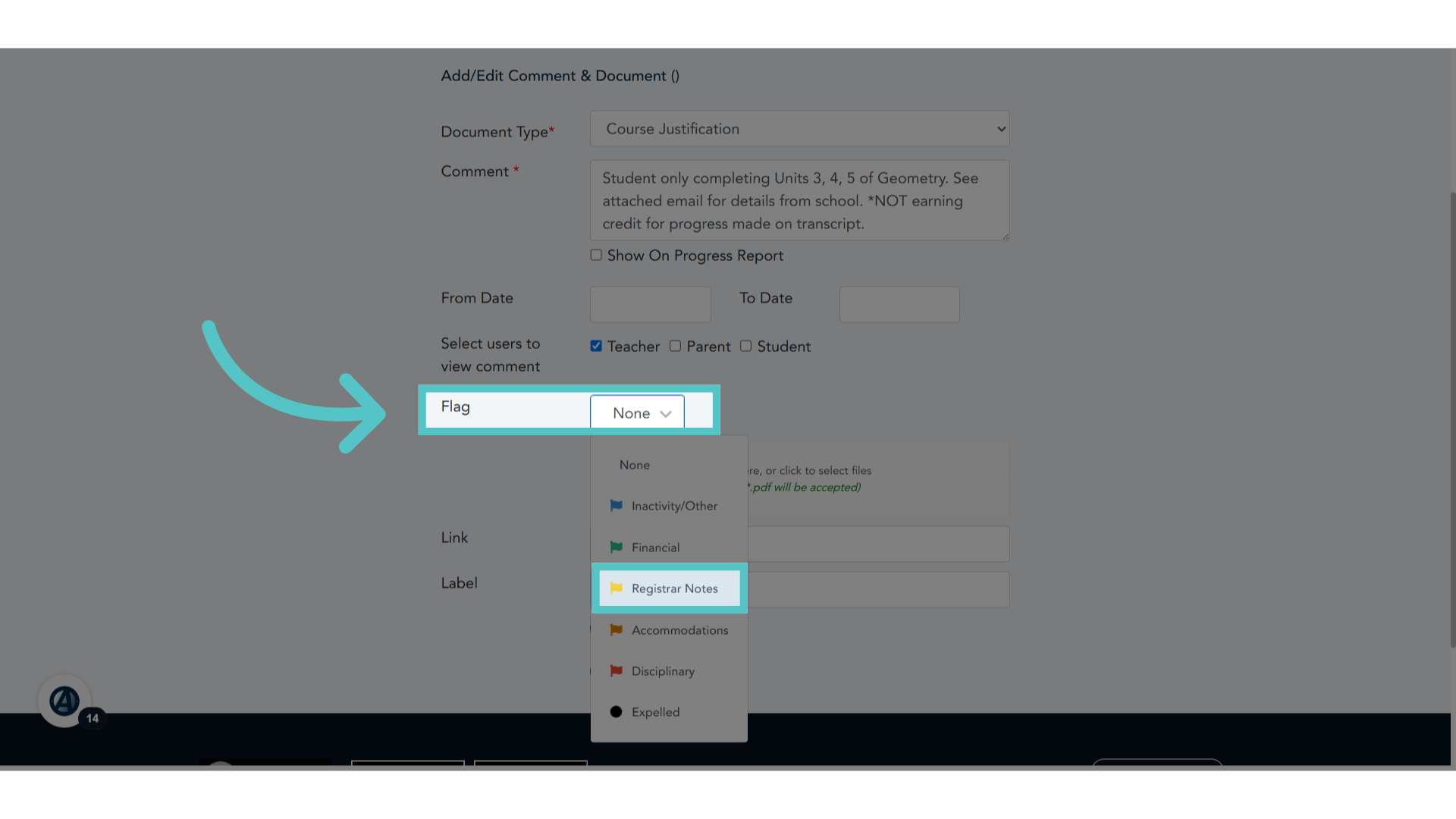
Use the dropdown menu in the flag field to add a yellow, "Registrar Notes" flag.
9. Flag Comment
Underneath the Flag icon is a field for a flag comment. Please copy the comment from the above comment box and paste it into the Flag Comment Field.
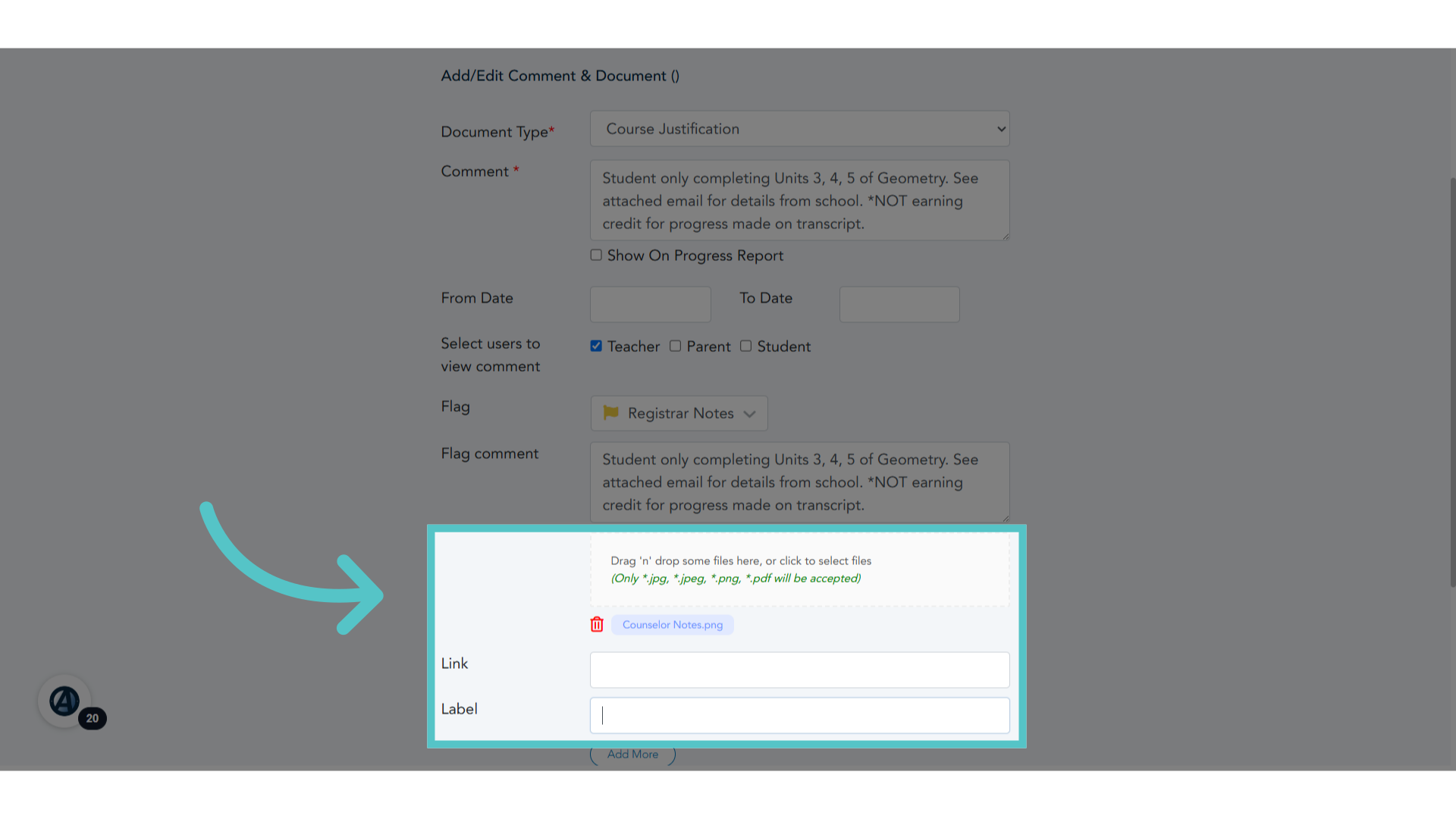
10. Document
If documentation is added, be sure to label each file.
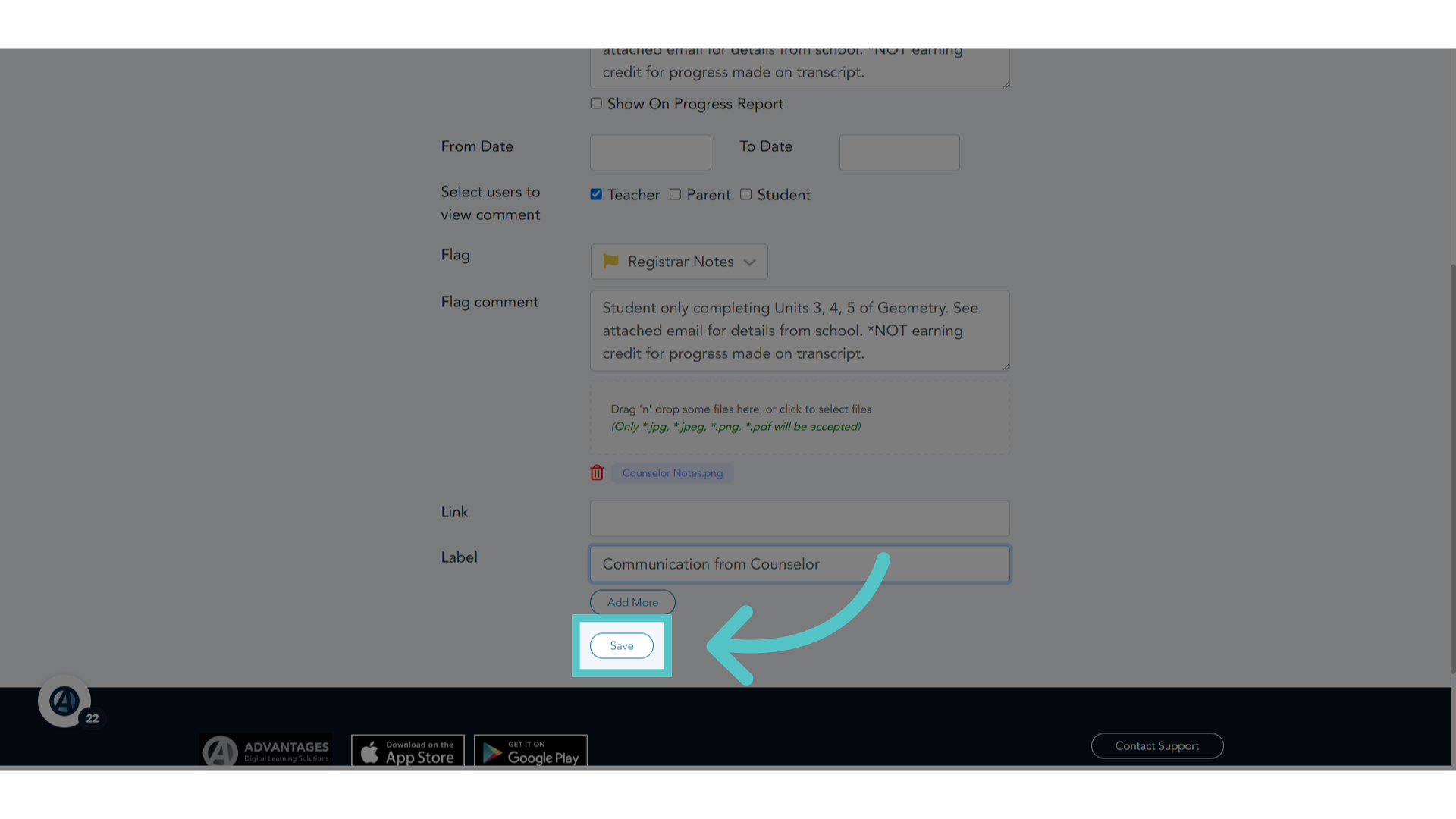
11. Click "Save"
Save the changes made.
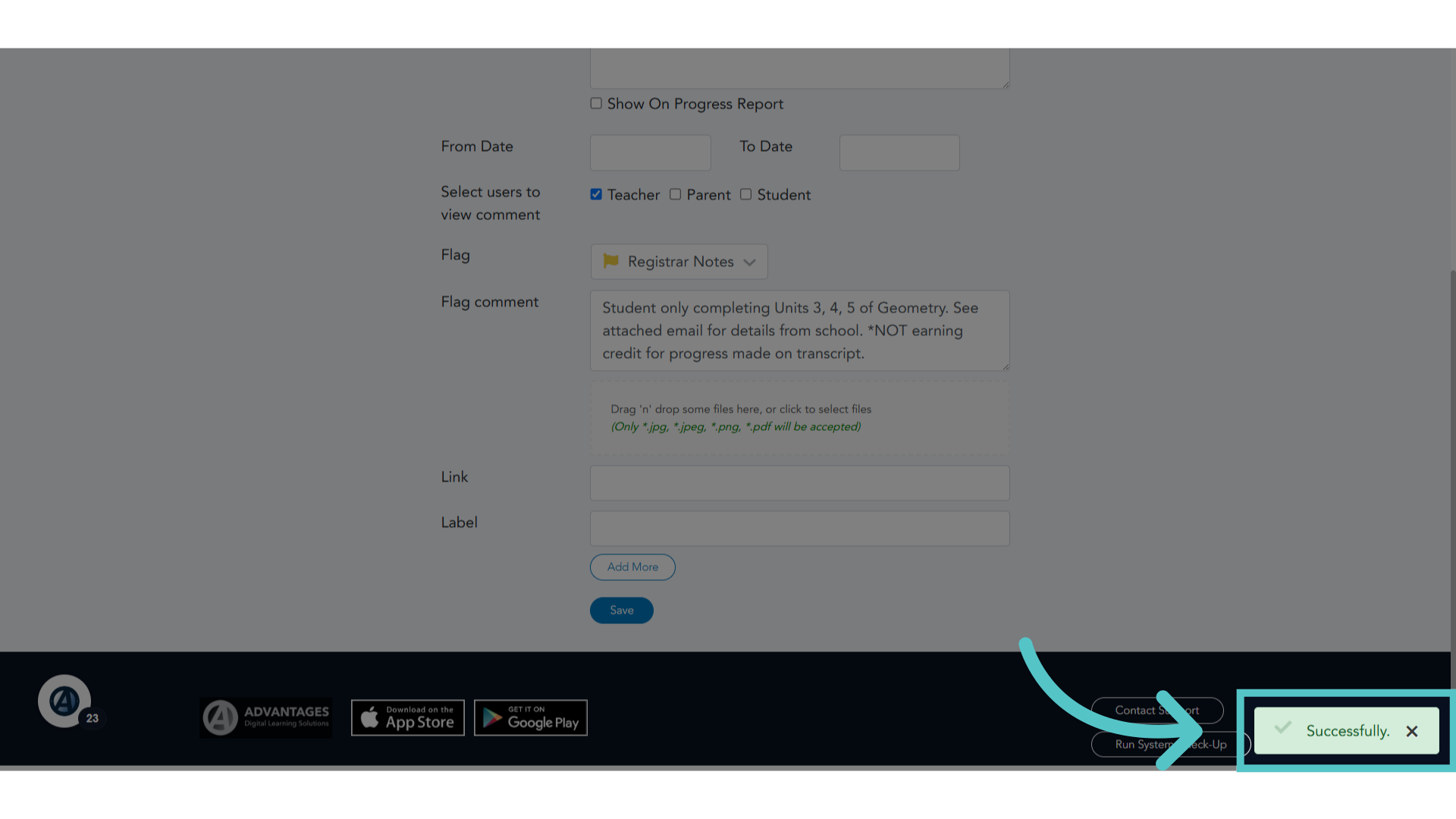
12. Successfully
Acknowledge the success message.
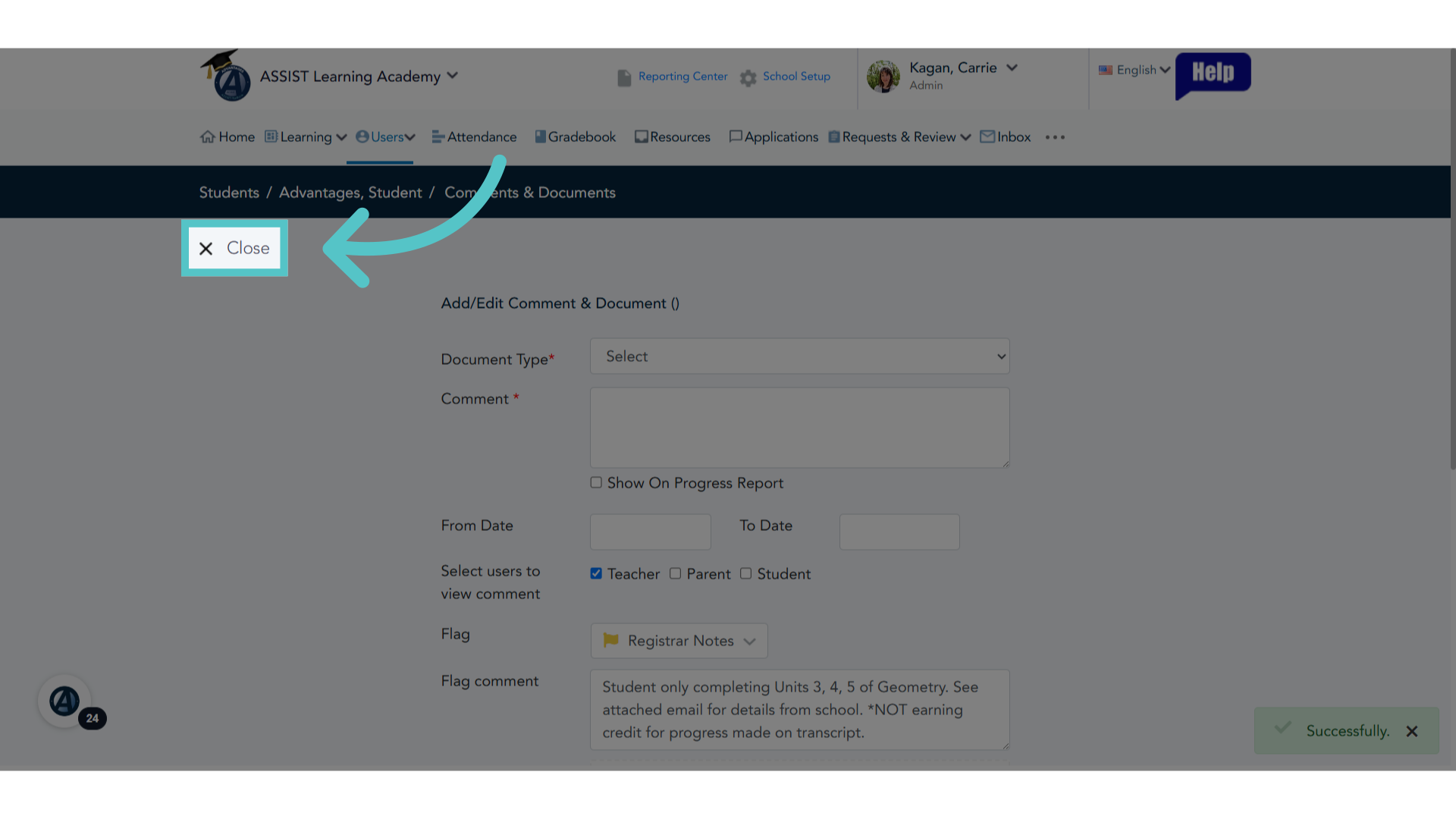
13. Click "Close"
Close the current window.
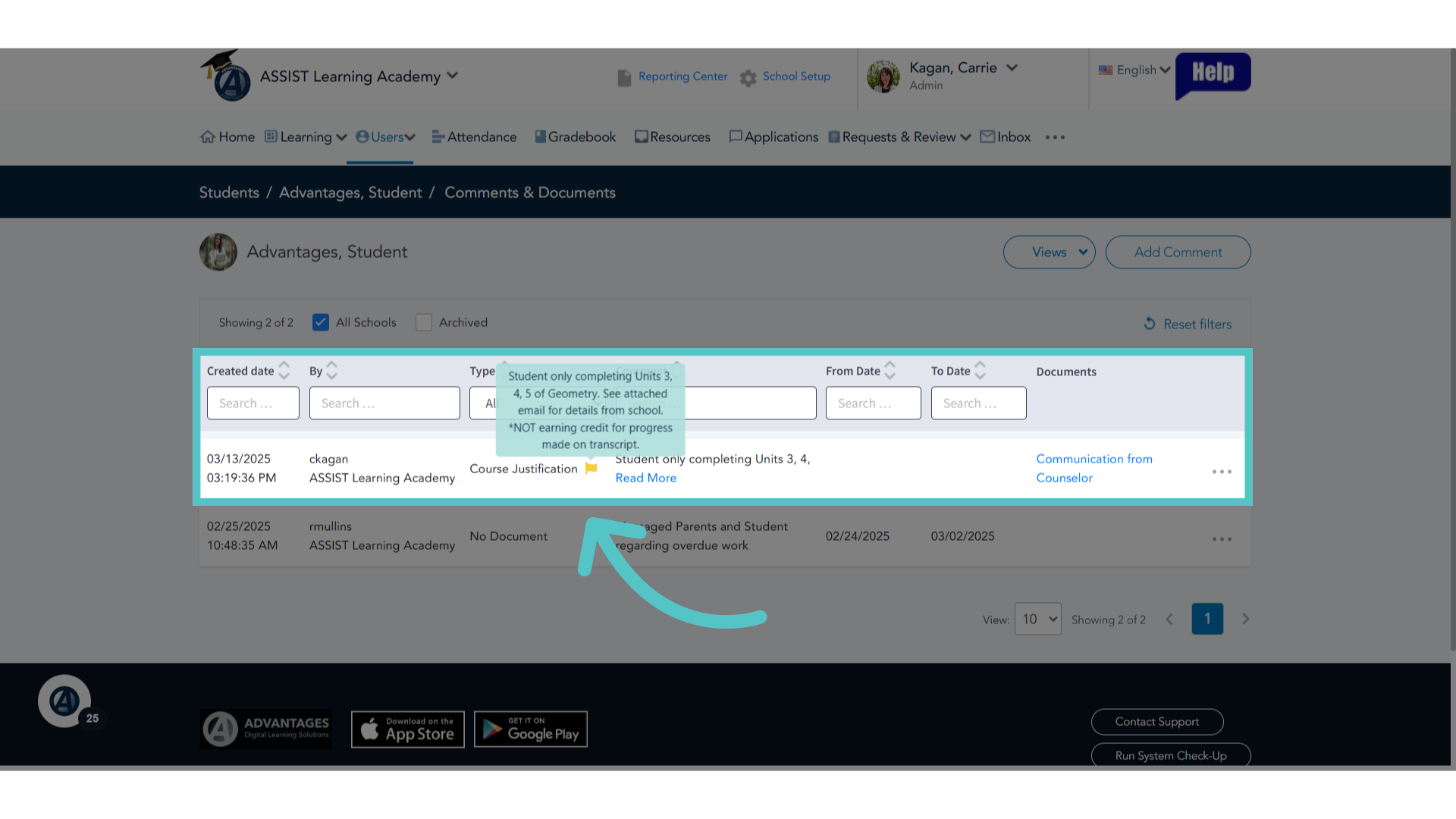
14. Registrar Notes
The comment will be listed in the student file with the yelow flag icon. Hovering the mouse arrow over the yello flag will reveal the flag comment. This is very helpful for our Registrar!
If you have any questions about the information in this tutorial, please click "Contact Support" to submit a help request. Contact Support