Expand to Full Screen for Best Viewing
This tutorial guides shows how to see your full path progress towards fulfilling diploma requirements. This view tracks all completed courses and shows all credits still needed for graduation
Go to portal.adlsassist.com
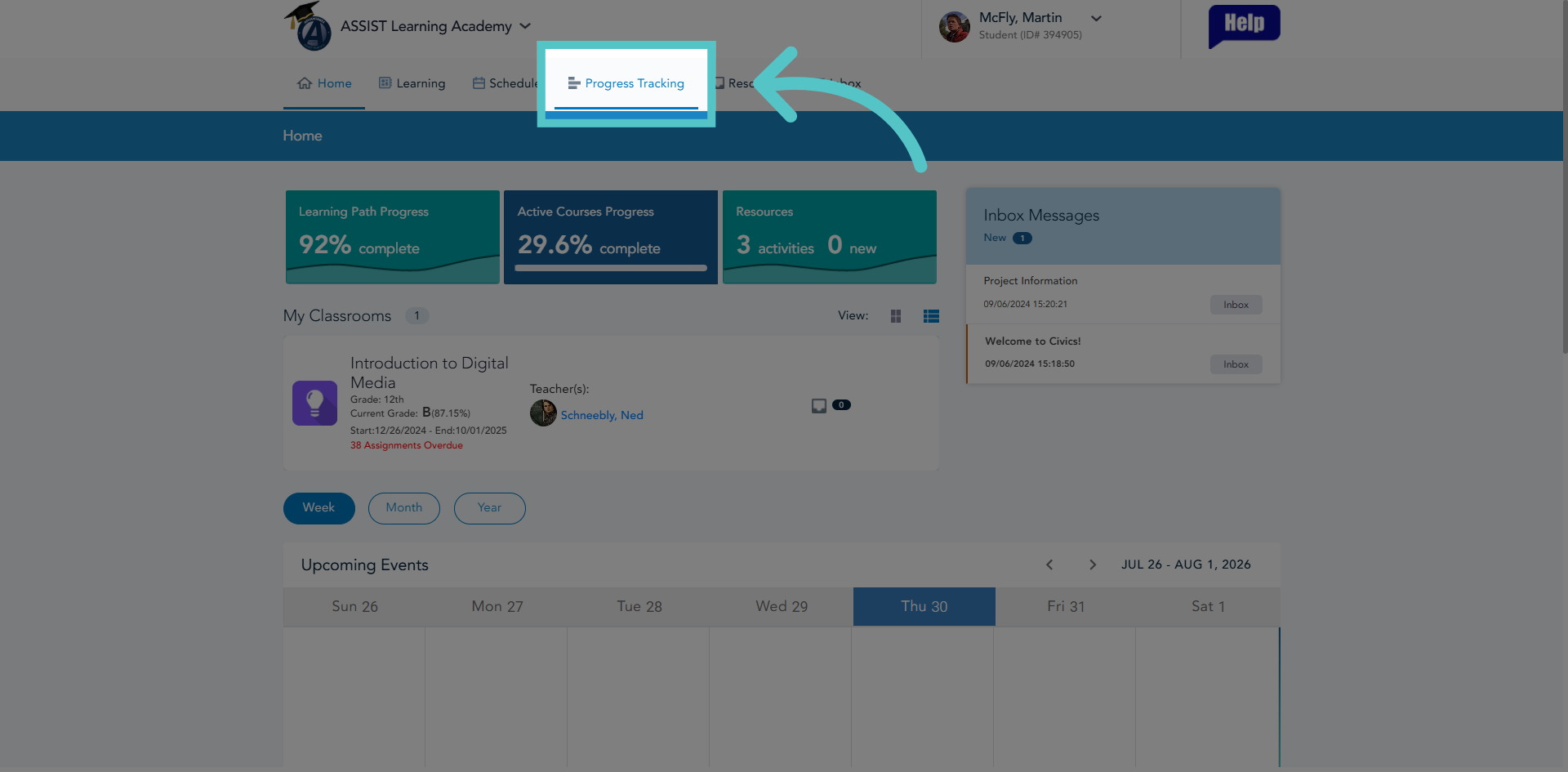
1. Access Progress Tracking
Click "Progress Tracking" to open the progress overview section in ASSIST.
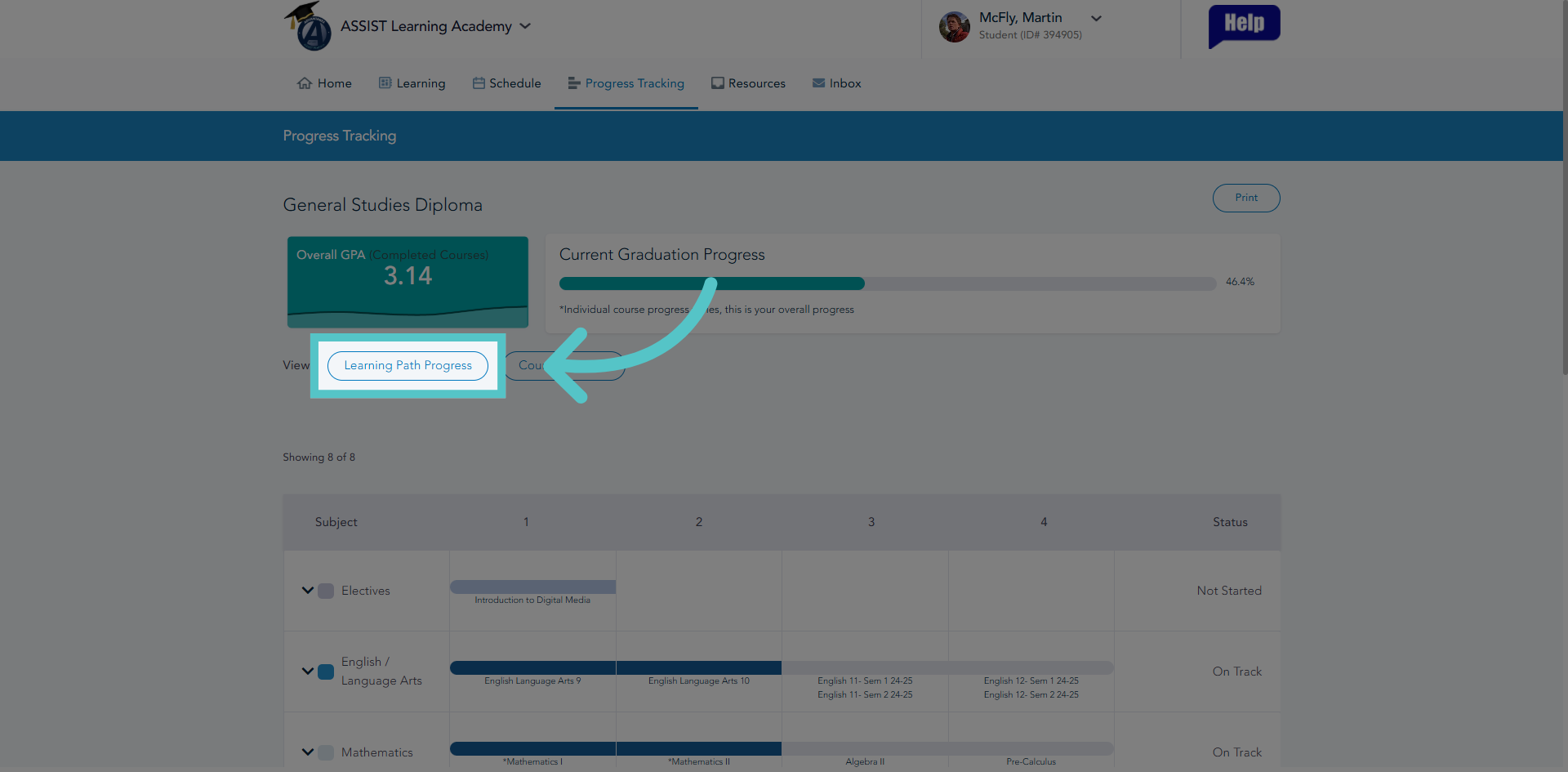
2. Open Learning Path Progress
Click "Learning Path Progress" to view detailed progress on assigned learning paths.
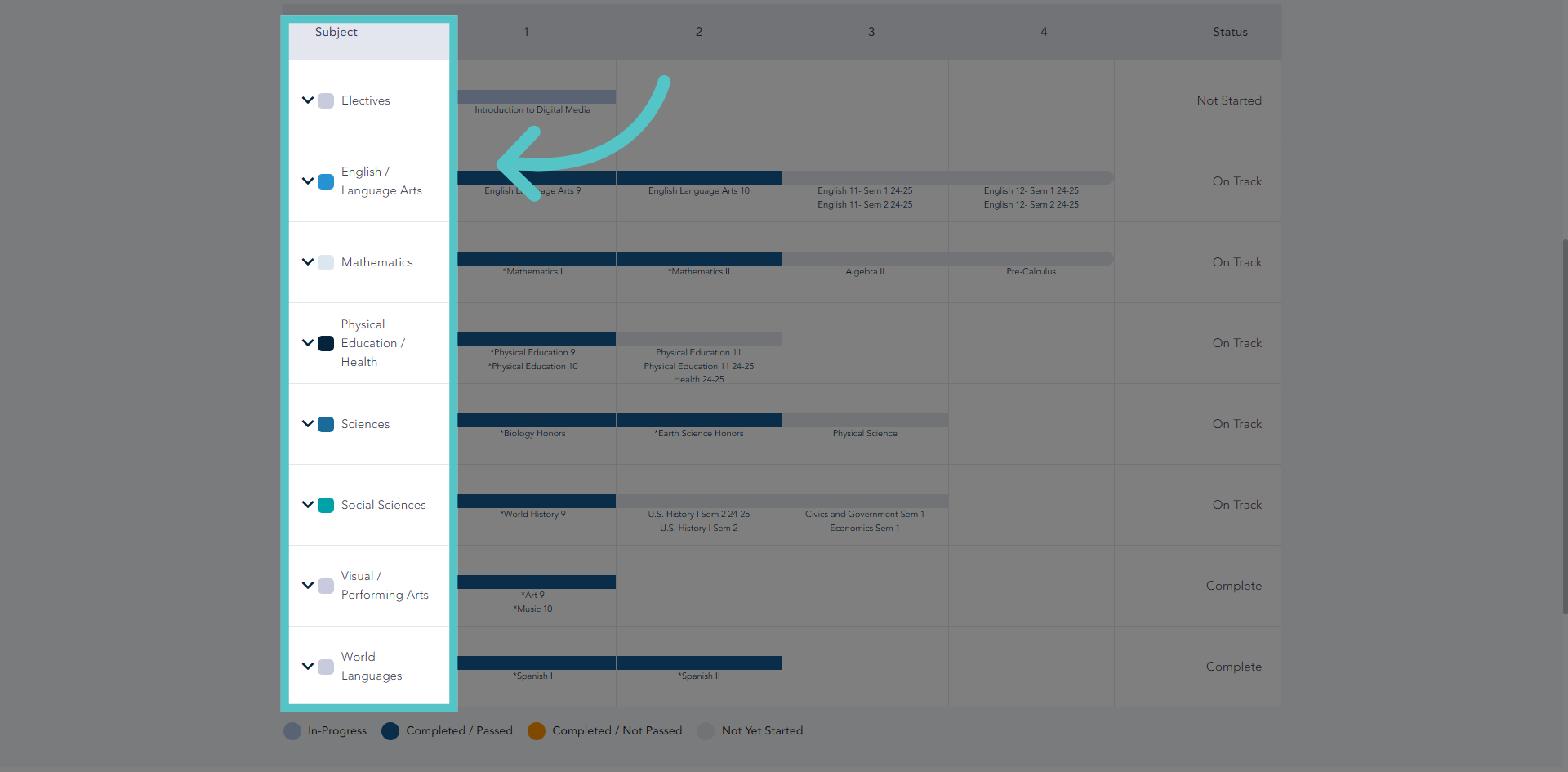
3. Required Departments
All required departments will be listed in the left column of the chart.
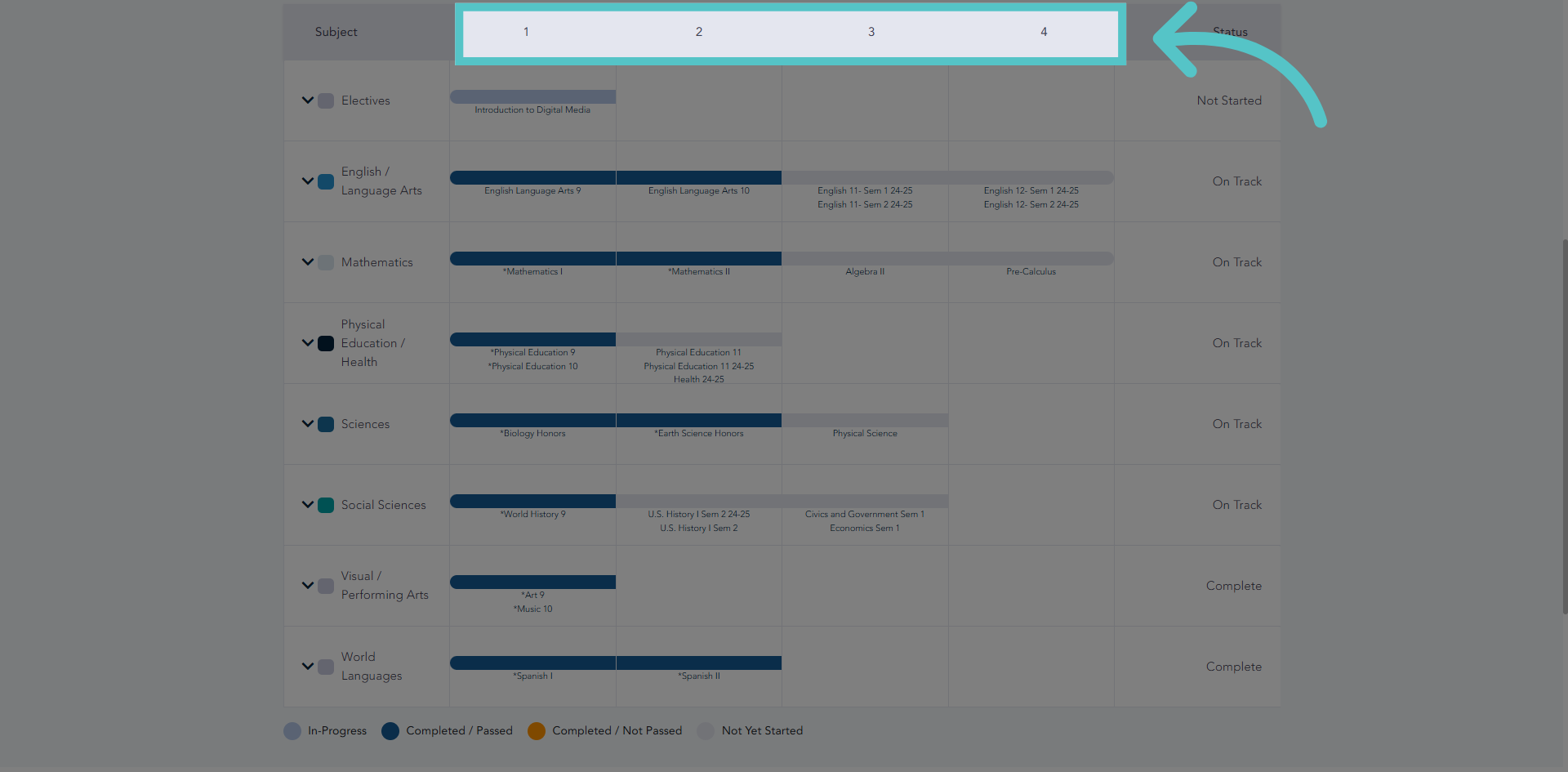
4. Years
The columns are then numbered 1 through 4 to indicate the four years of high school. Any courses taken in the first year of high school (typically grade 9) will show in column number 1
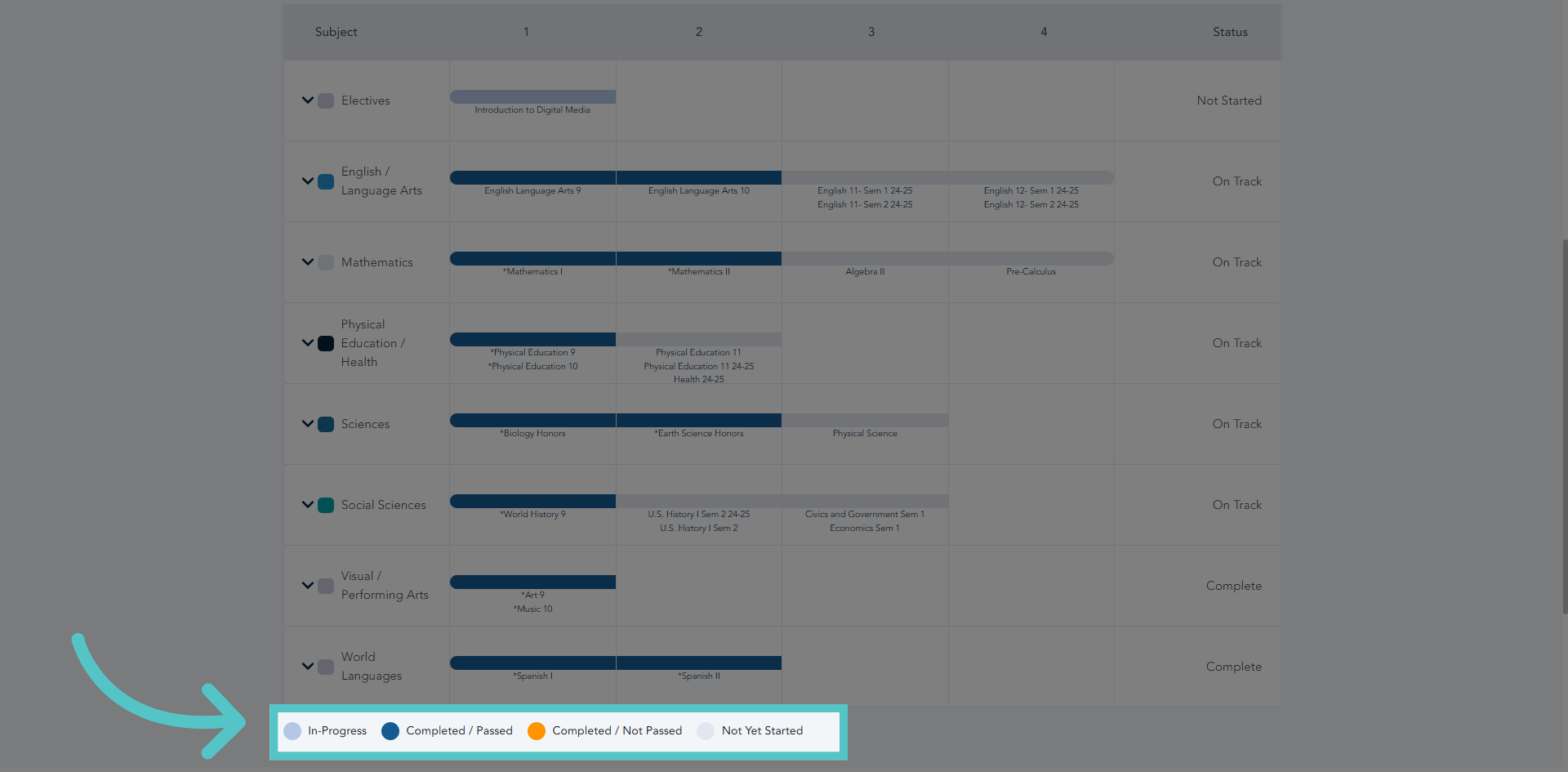
5. Progress Key
Each progress bar is color coded to indicate course status. For example, light blue bars indicate courses in progress. Dark blue bars indicate courses that have been completed and passed.
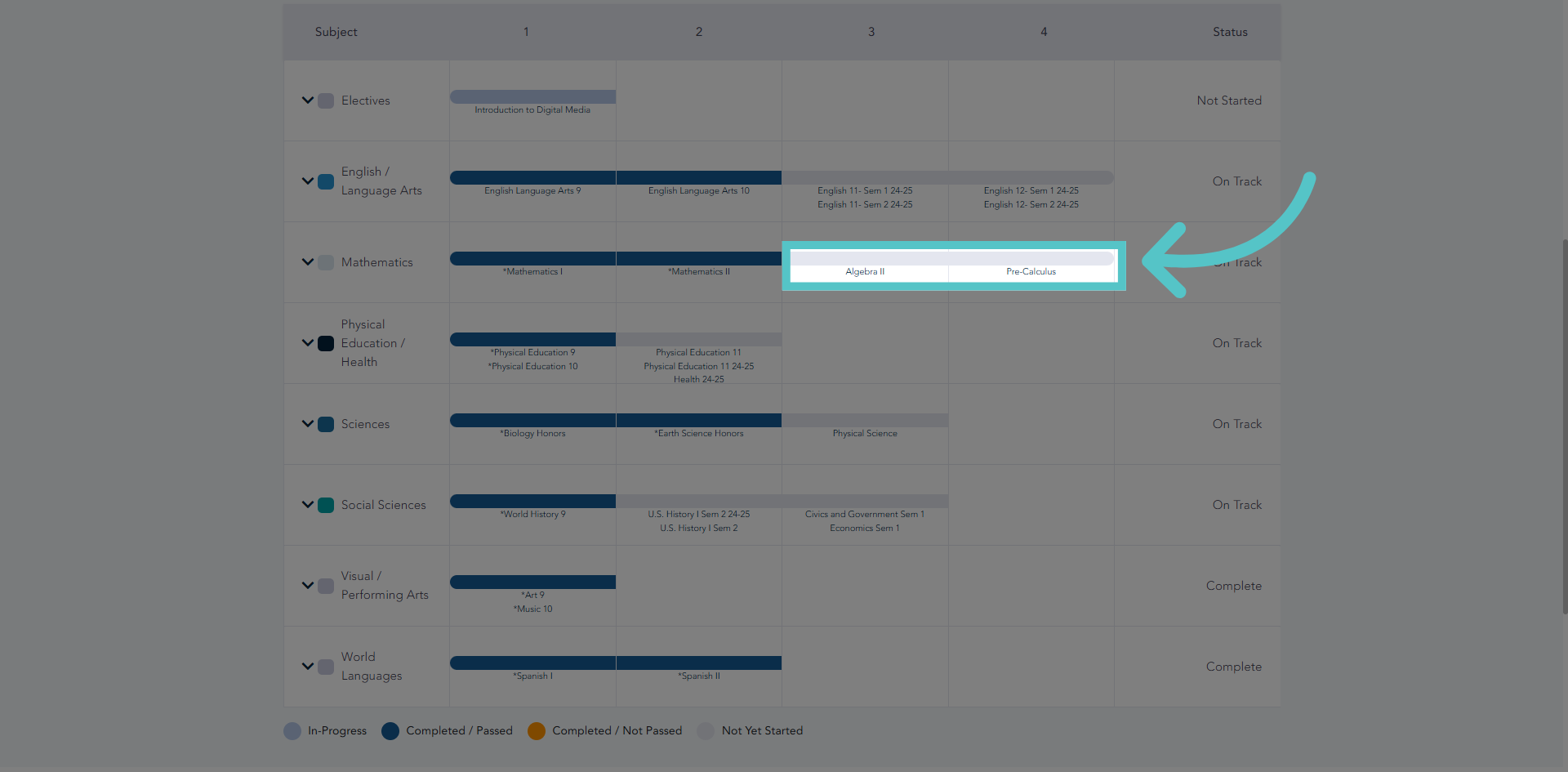
6. Gray Bars
Gray bars indicate course credits that have not yet been taken, but are required.
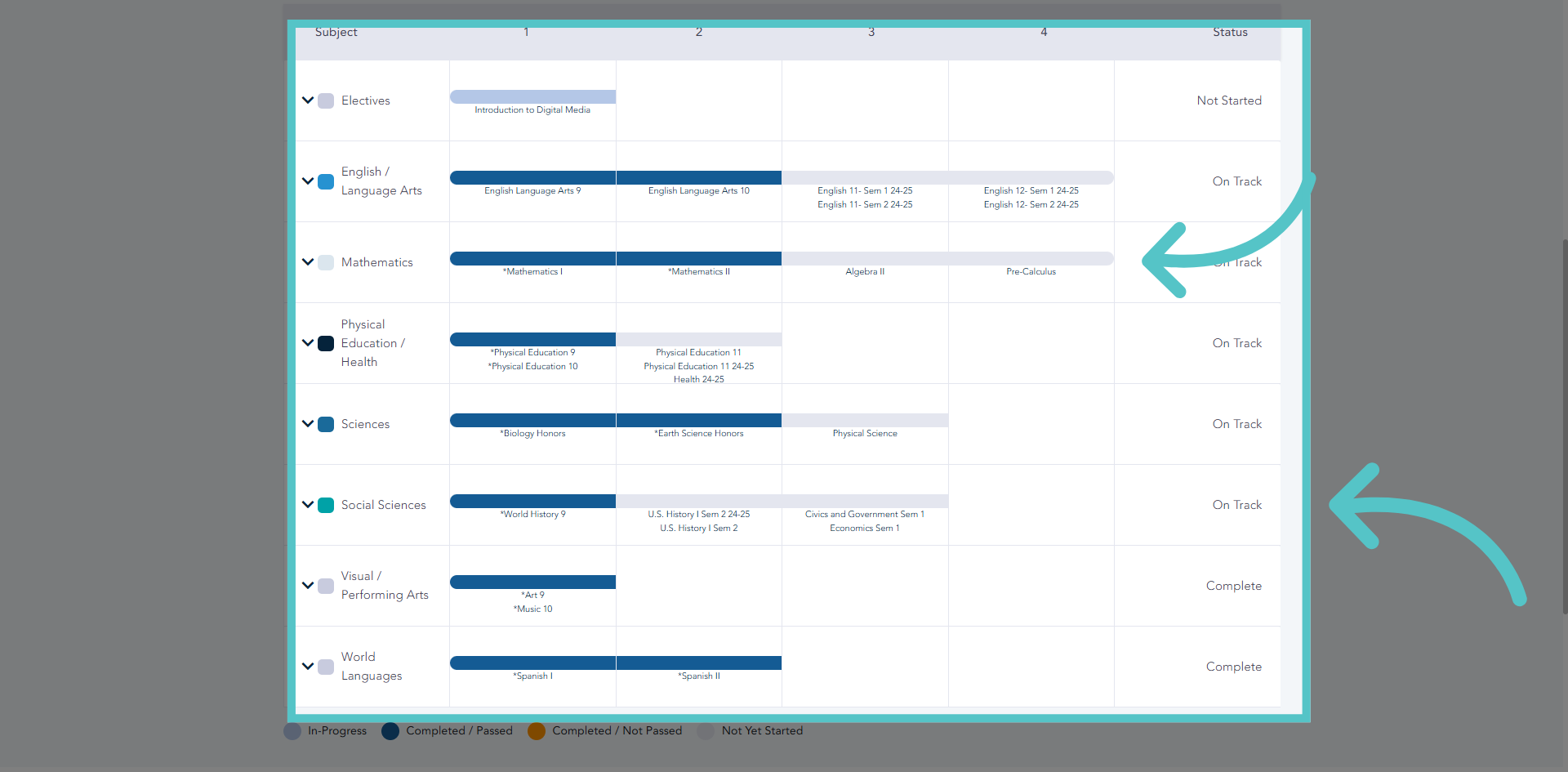
7. Path Completion
Students are ready for graduation when all bars on the charted path are dark blue. Any bar that is not dark blue indicates a requirement that needs to be fulfilled for a diploma.
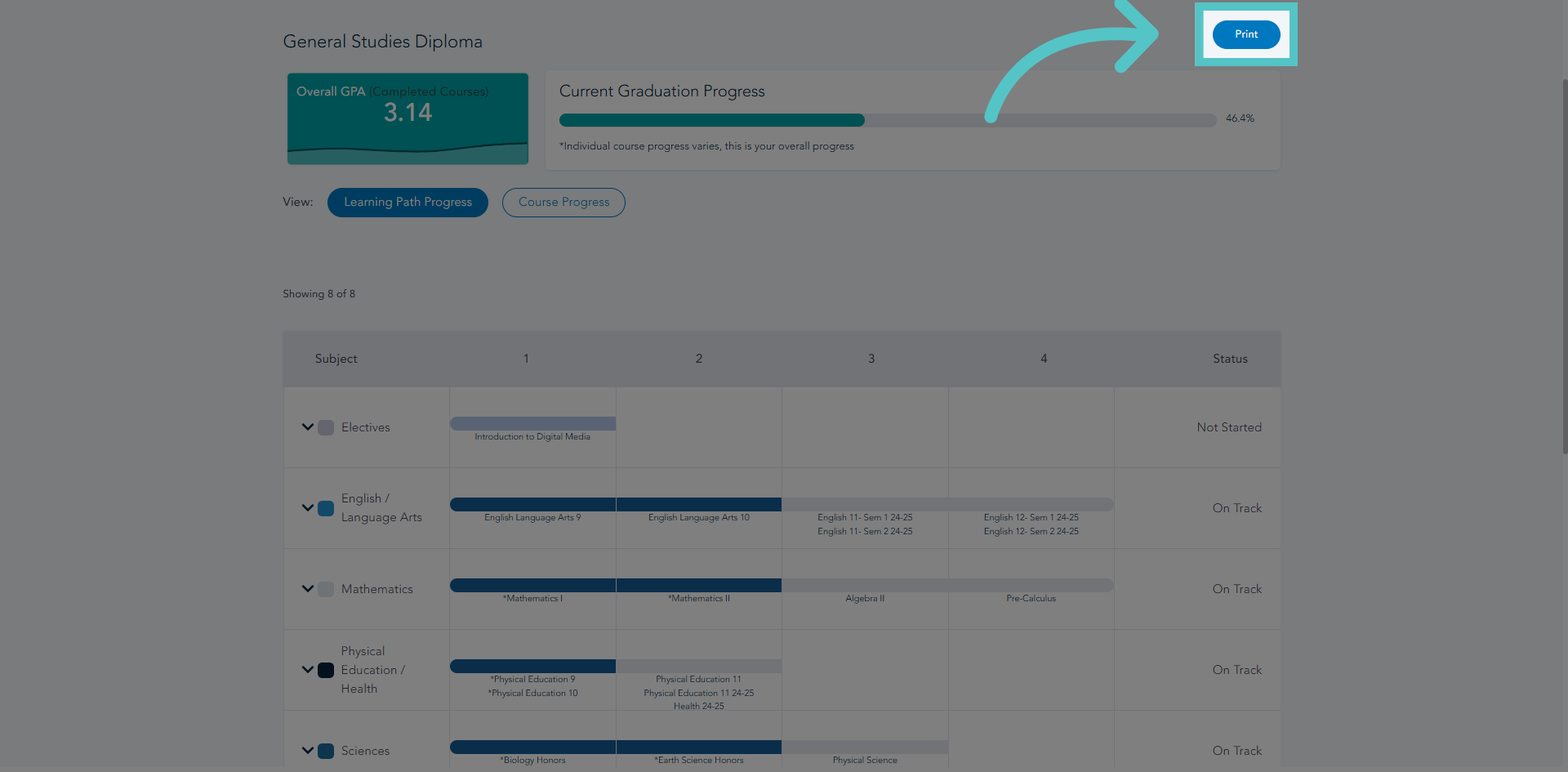
8. Print Path Progress
This entire charted path can be printed or saved as a PDF to share.
9. Open Academic Information
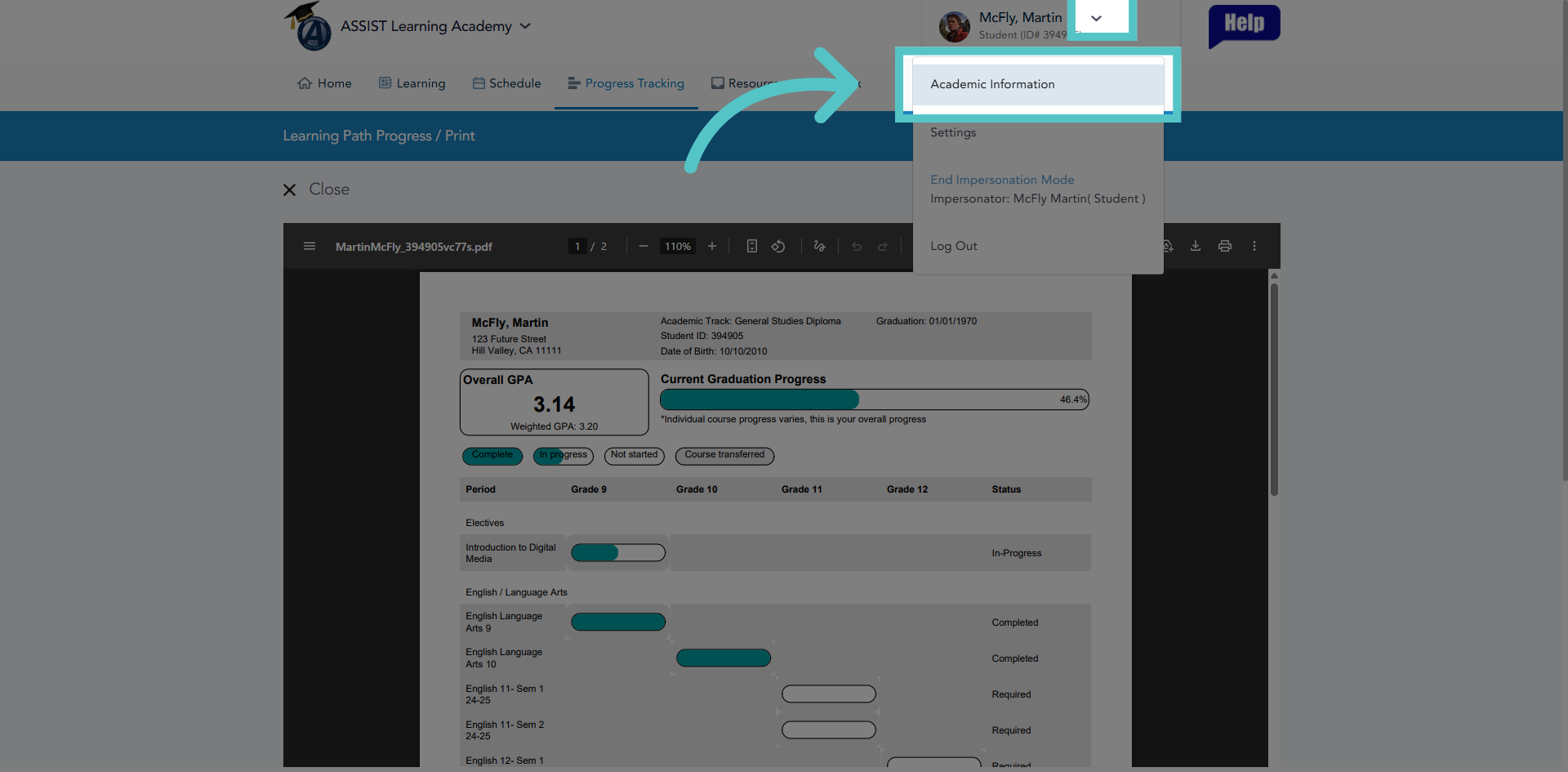
Additionally, students can access their complete, unofficial transcript for review. Select "Academic Information" from the profile menu.
10. Open Actions Menu
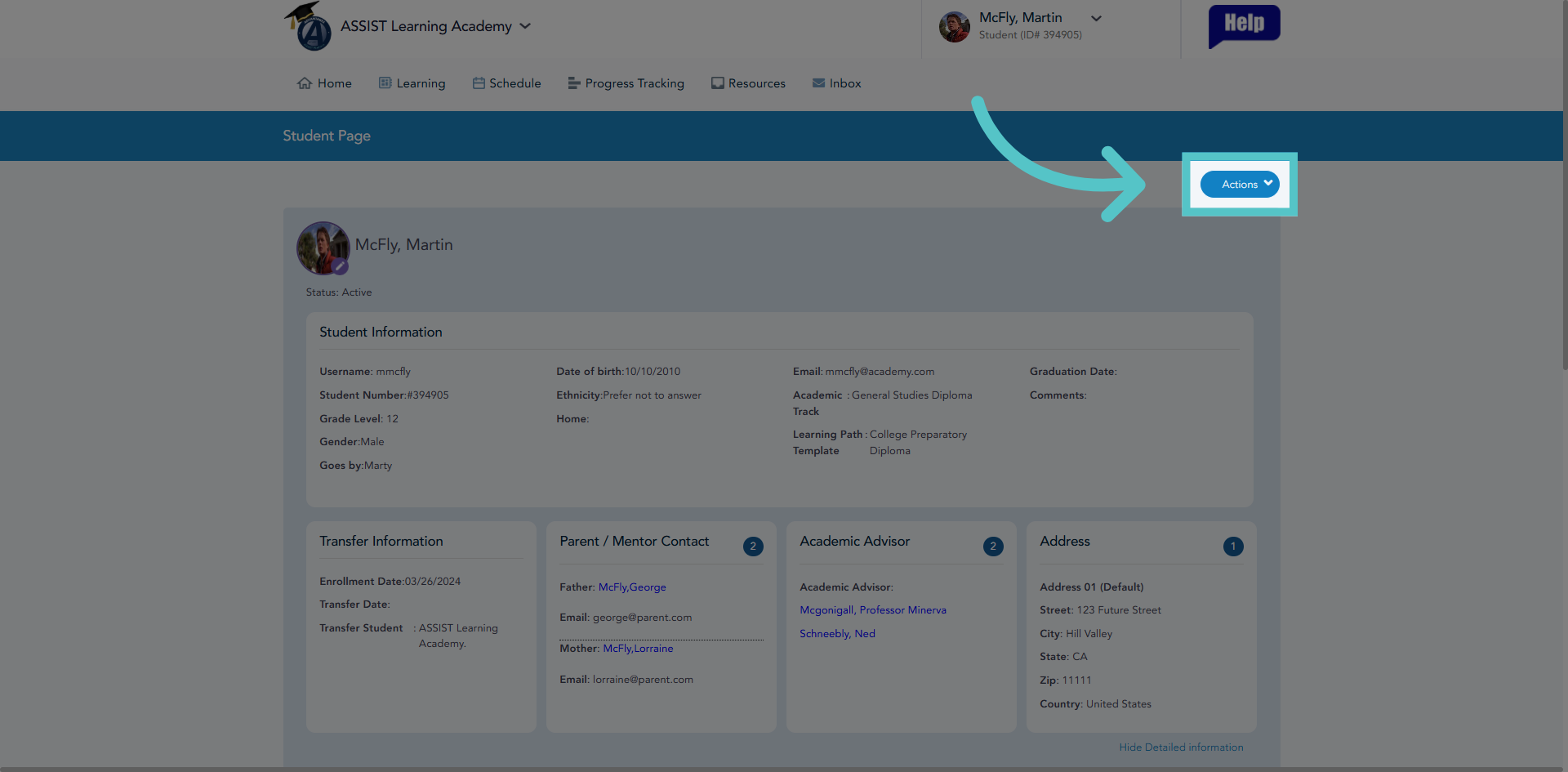
Click "Actions" to access available actions for academic records management.
11. View Unofficial Transcript
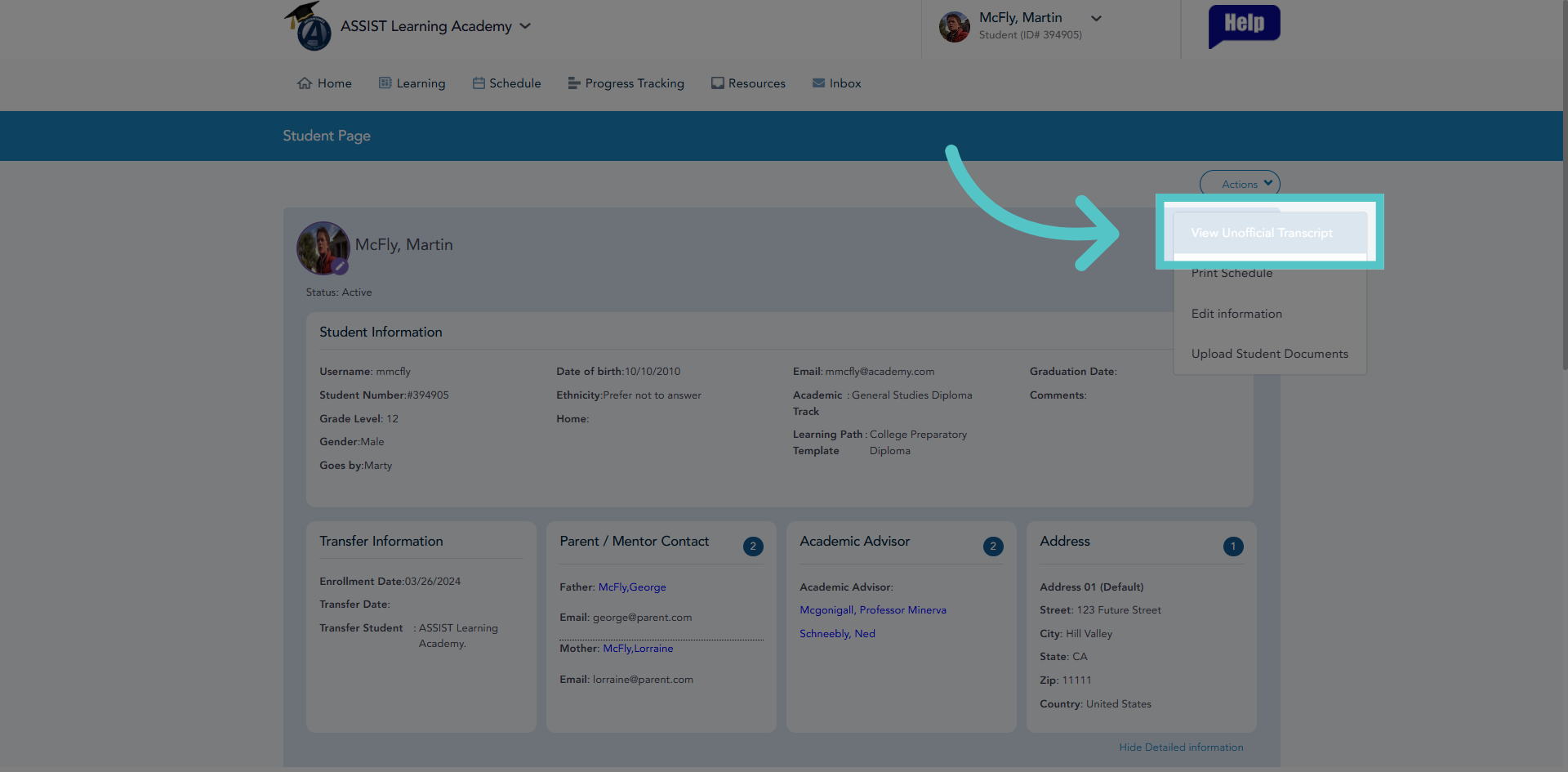
Click "View Unofficial Transcript" to display the current unofficial academic transcript.
12. Request or Print Transcript
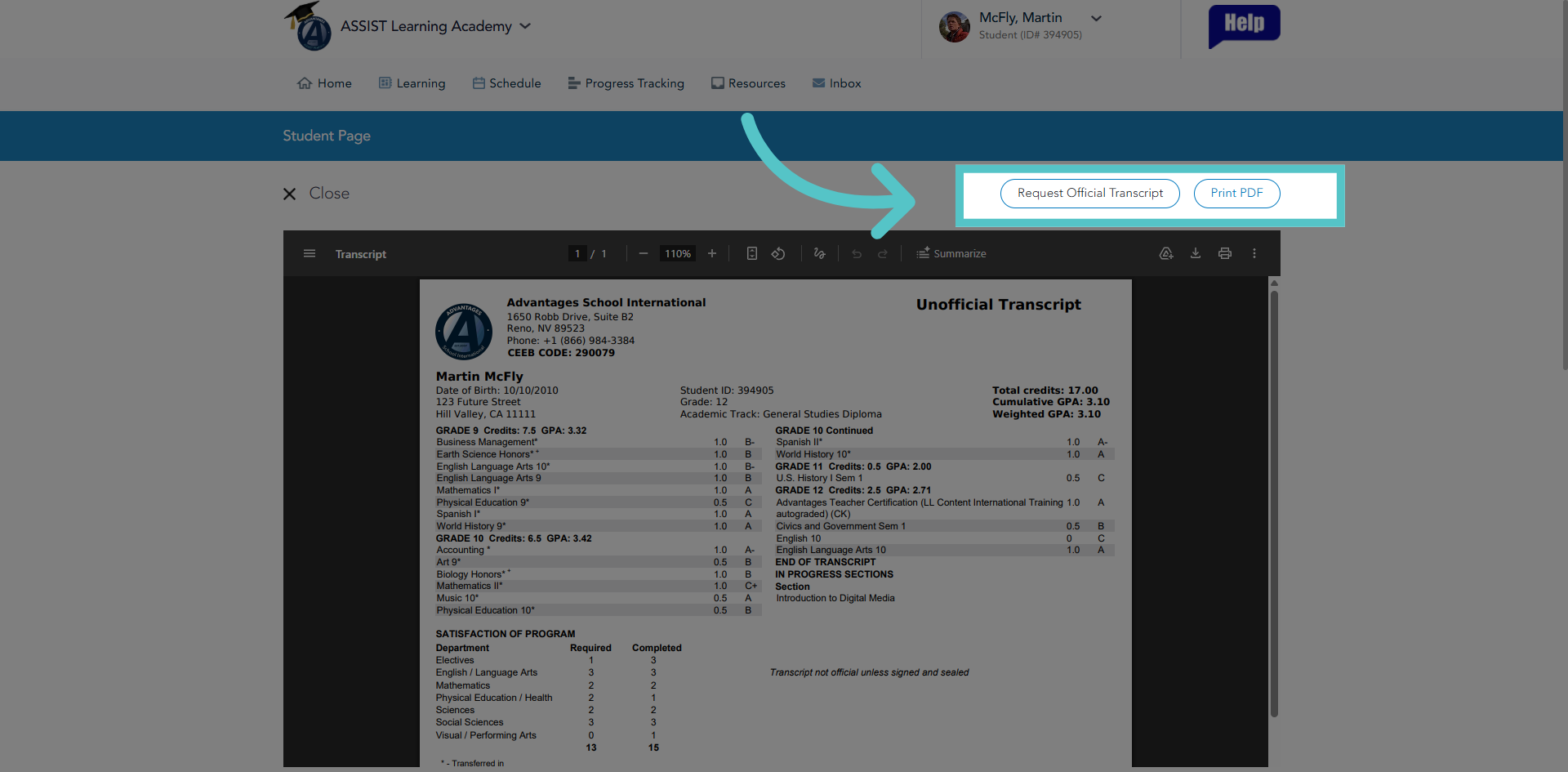
From here, the unofficial transcript can be printed or saved as a PDF to share. Students can also request an official transcript from our registrar's office, if needed
If you have any questions about the information in this tutorial, please contact your dedicated school success manager for additional support.