Expand to Full Screen for Best Viewing
Teachers can preview all Checkpoint and Module Mastery Questions and answers in Lincoln Learning courses.
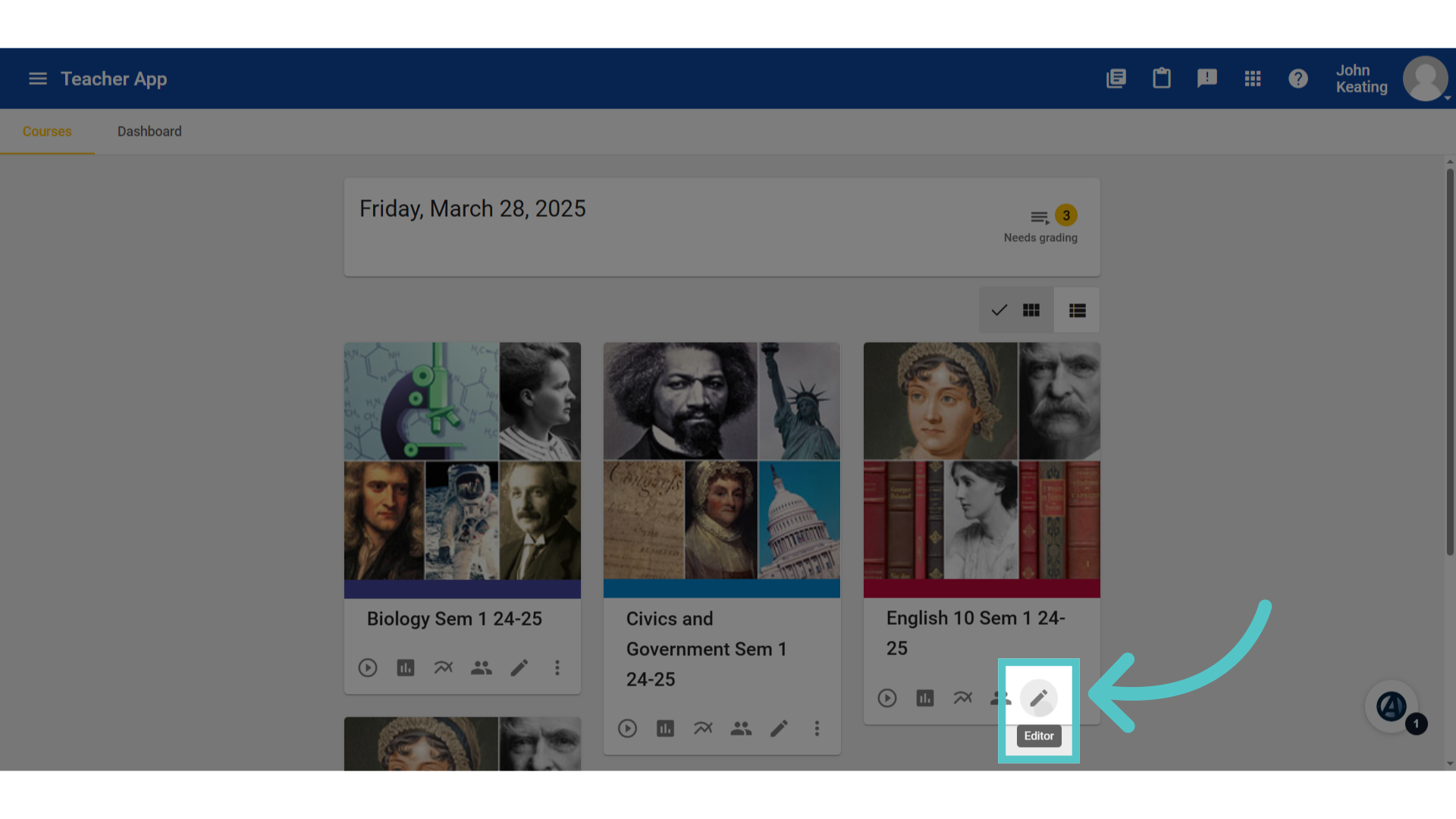
1. Editor
To preview assessment question banks, open the course editor.
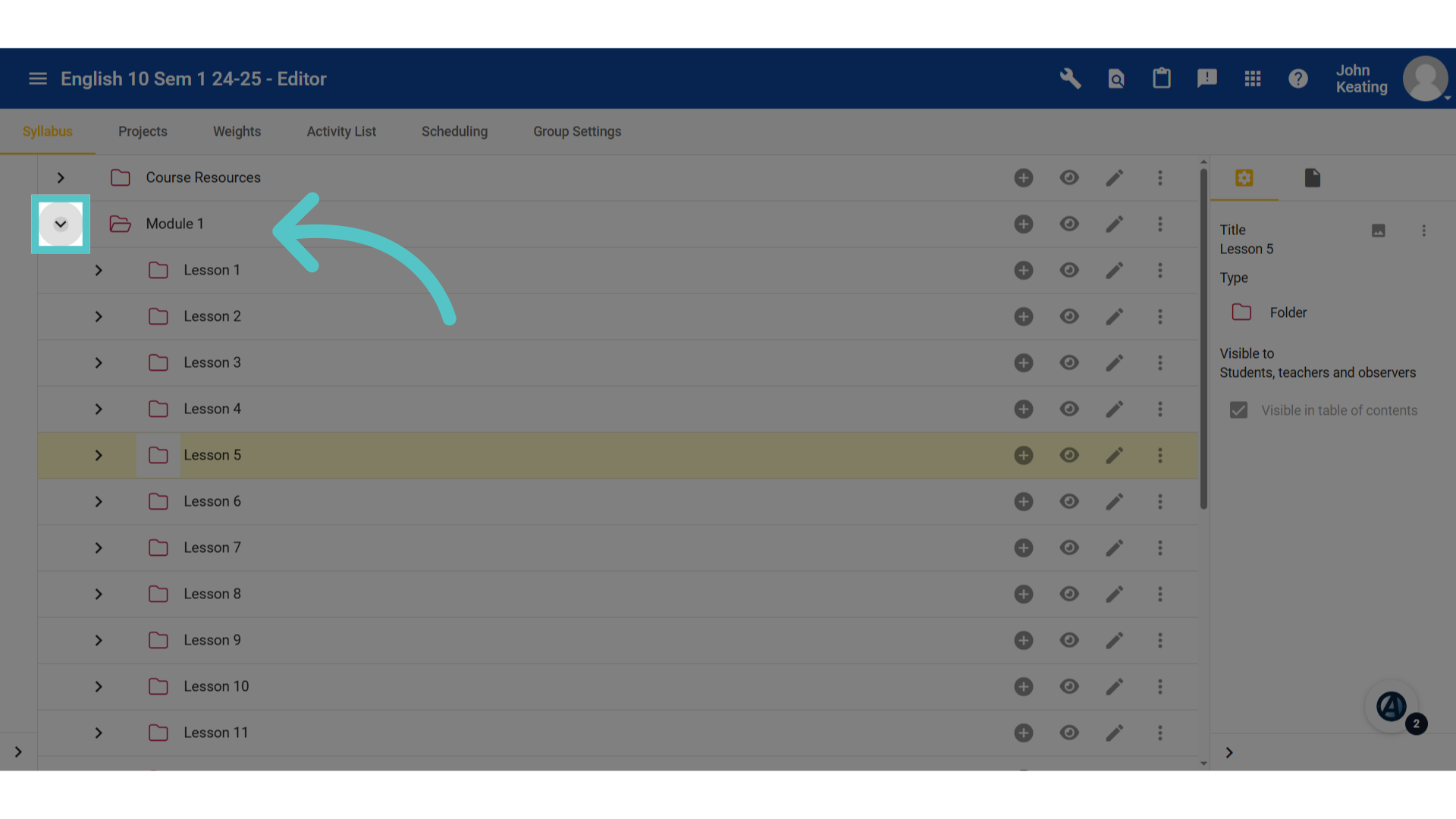
2. Expand Course Menu
Expand the module and lesson menu folders to reveal the gradable assessment activities. There is a Checkpoint quiz every five lessons and a mastery assessment at the end of each module.
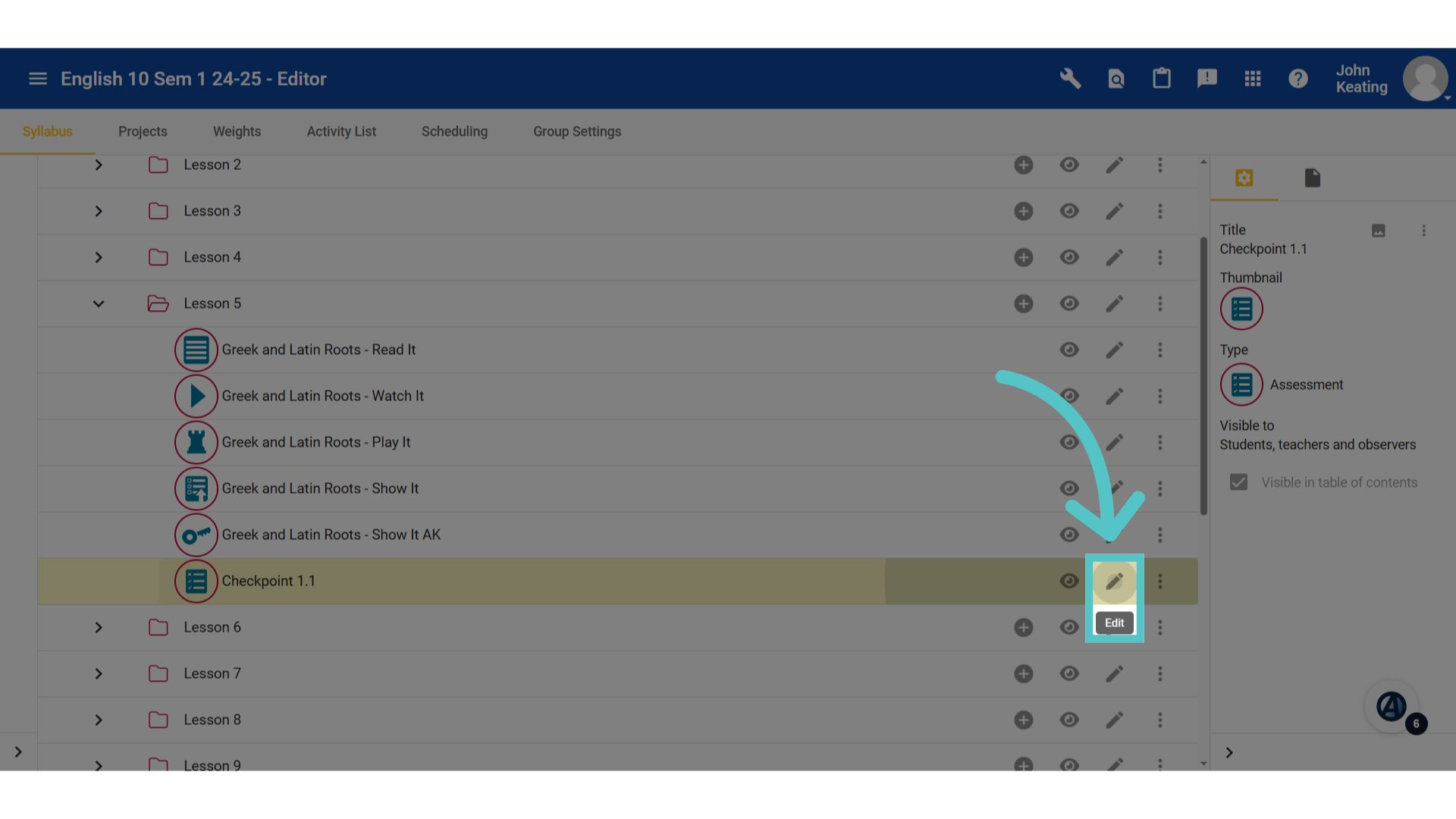
3. Click "edit"
Click the pencil icon for the assessment to preview.
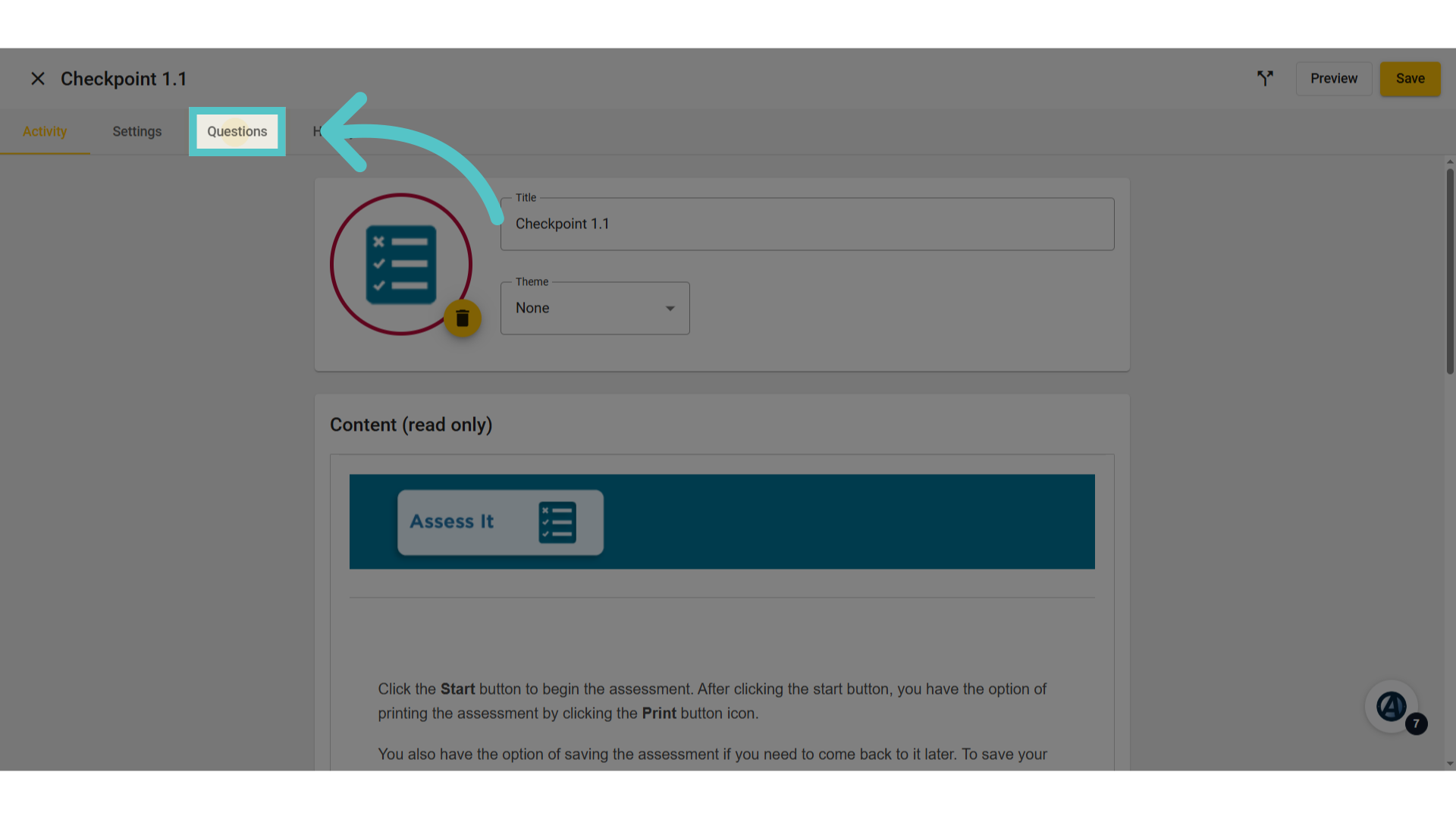
4. Click "Questions"
Navigate to the Questions tab.
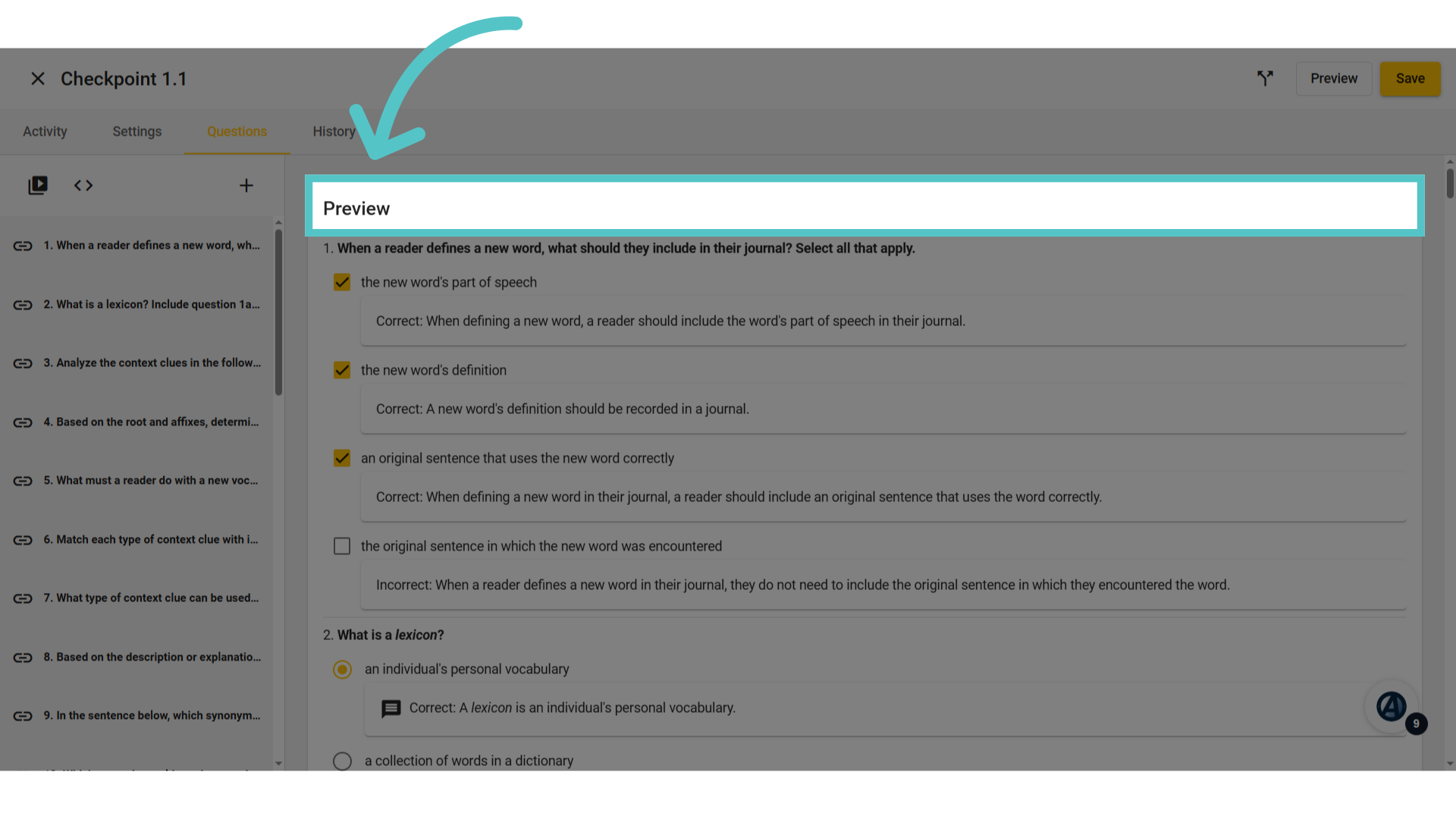
5. Preview
All questions and answer choices will be listed. This is the entire question bank for the assessment. Most assessments have more questions in the bank than are asked on the assessment. Students will receive a selection from these questions.
If you have any questions about the information in this tutorial, please contact your dedicated school success manager for additional support.